4-6
Printing from PC > Printing from PC
3
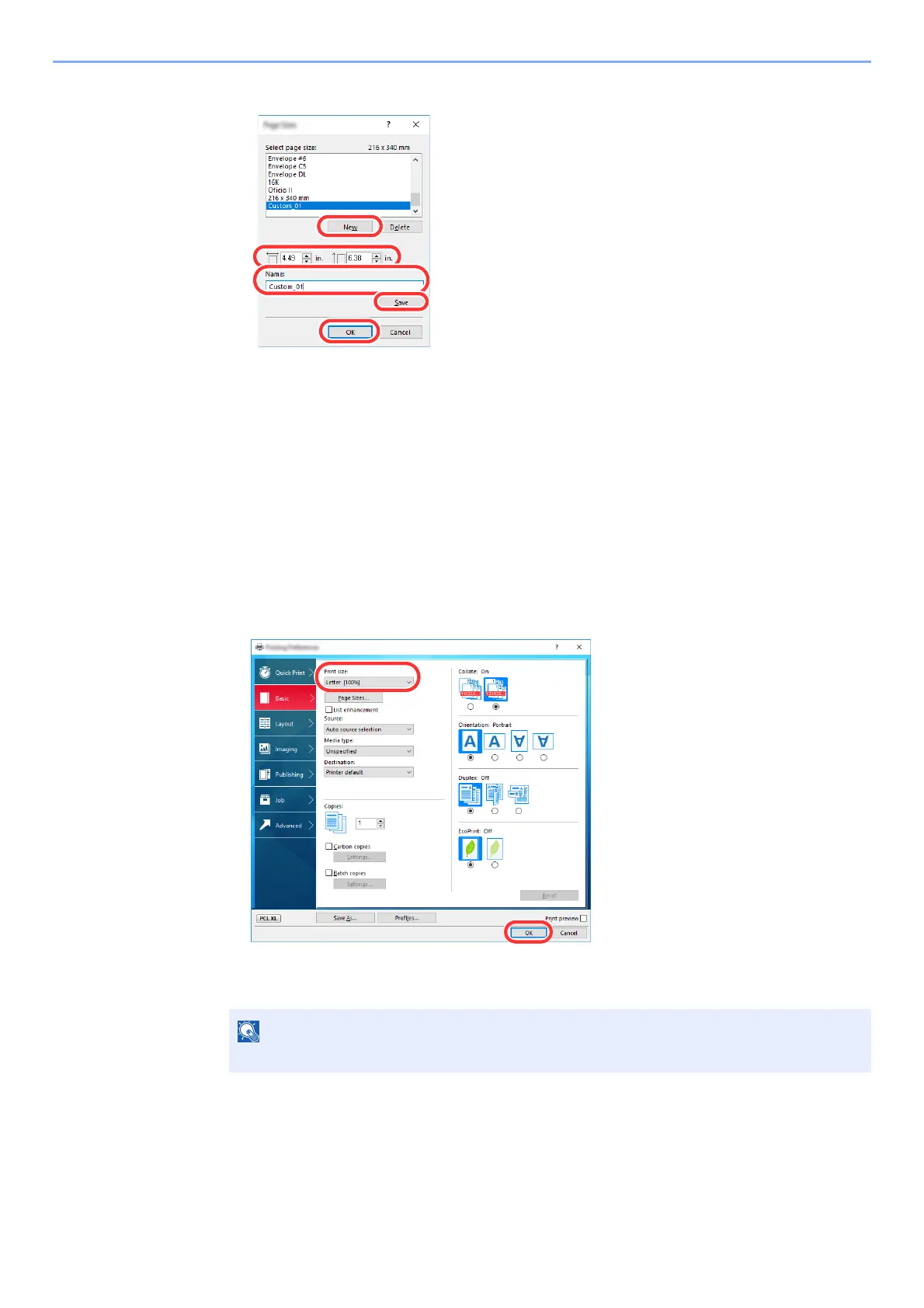
Register the paper size.
1 Click the [New] button.
2 Enter the length (470.1 mm (18.52") or longer), and width of the custom p
aper size being
registered.
3 Enter the name of the paper.
4 Click the [Save] button.
5 Click
the [OK] button.
4
Configure the print paper size.
1 Click "Print size" menu and select the paper size registered in step 3.
2 Click the [OK] button.
When banner printing, a resolution of 600 dpi is set.













 To Next Page