2-35
Installing and Setting up the Machine > Installing Software
Installing Software in Mac Computer
The machine's printer functionality can be used by a Mac computer.
1
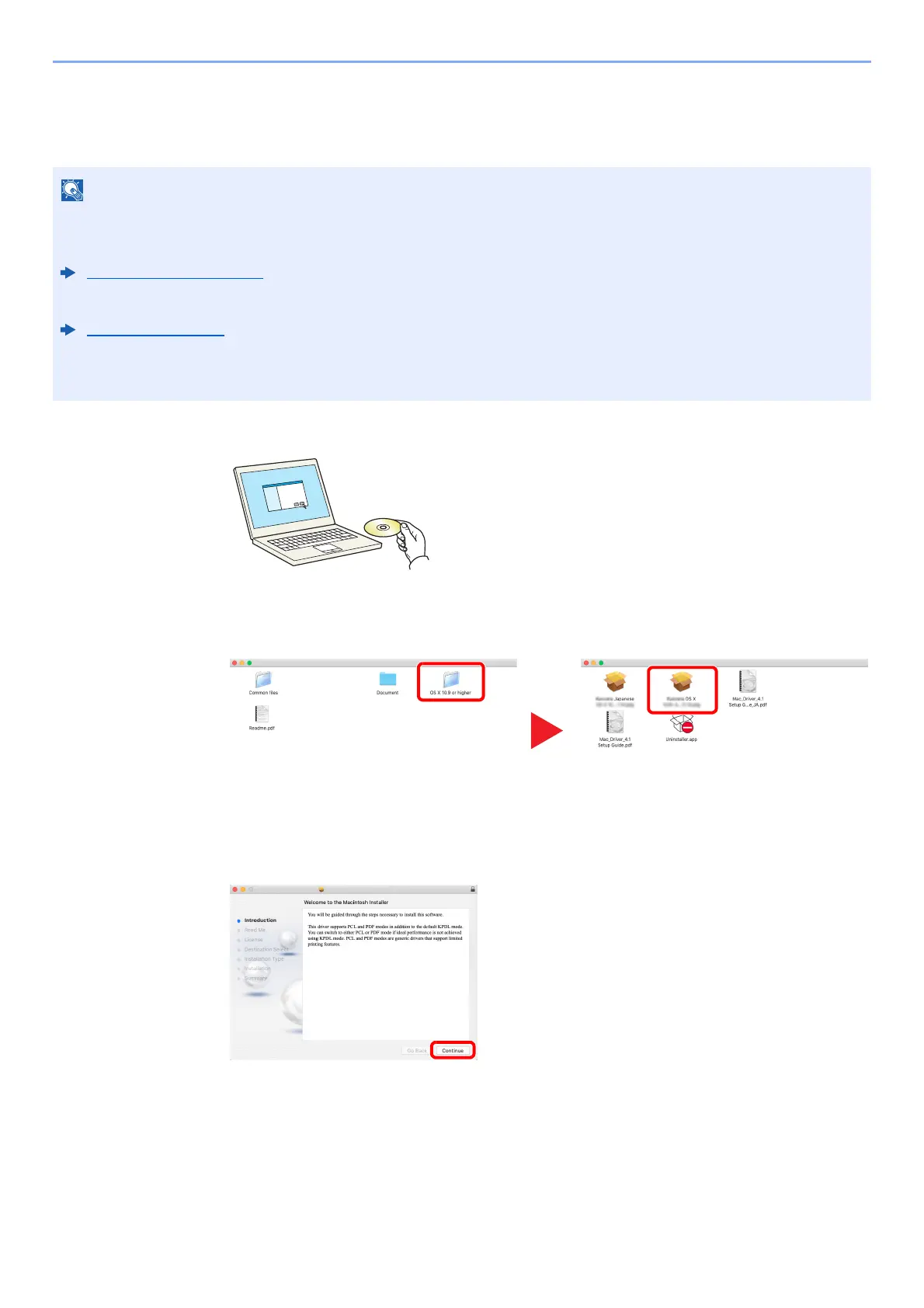
Insert the DVD.
Double-click the [Olivetti] icon.
2
Display the screen.
Double-click [Olivetti OS X x.x] depending on your Mac OS version.
3
Install the Printing System Driver.
Install the Printing System Driver as directed by the instructions in the installation
software. This completes th
e Printing System Driver installation.
If a USB connection is us
ed, the machine is automatically recognize
d and connected.
If an IP connection is used, the settings below are req
uired.
• Installation on MAC OS must be done by a user logged on with administrator privileges.
• When printing from a Macintosh computer, set the machine's emulation to [KPDL] or [KPDL(Auto)].
Print Settings (page 8-10)
• If connecting by Bonjour, enable Bonjour in the machine's network settings.
Bonjour (page 8-18)
• In the Authenticate screen, enter the name and password used to log in to the operating system.
• When printing via AirPrint, you do not have to install the software.













 To Next Page