2-27
Installing and Setting up the Machine > Installing Software
Installing Software
Install appropriate software on your PC from the included DVD (Product Library) if you want to use the printer function of
this machine.
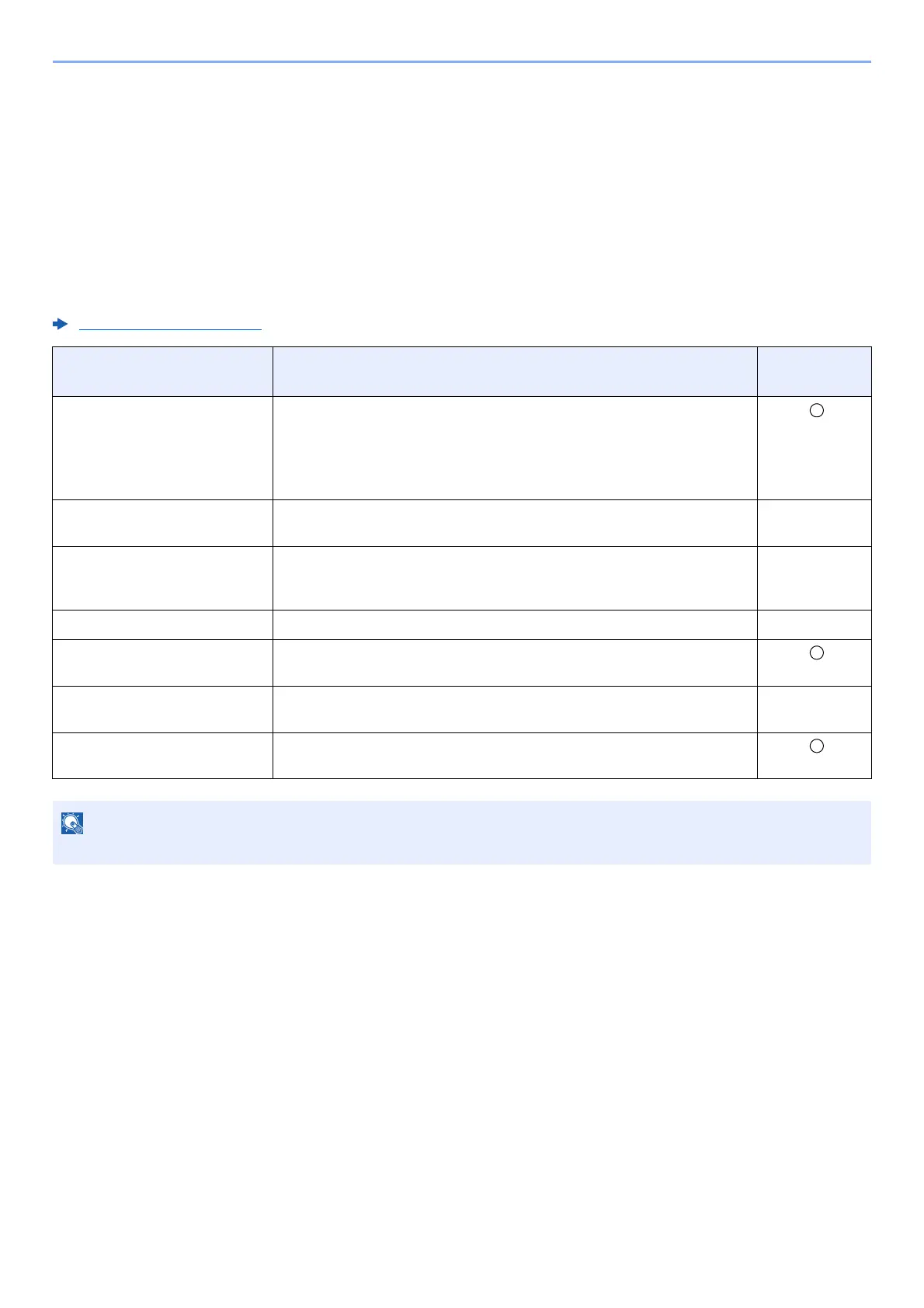
Software on DVD (Windows)
You can use either [
Express Install
] or [
Custom Install
] can be selected for the installation method. [
Express Install
] is
the standard installation method. To install components that cannot be installed by [
Express Install
], use [
Custom Install
].
For details on Custom Installation, refer to the following:
Custom Install (page 2-30)
Software Description
Express
Install
Printing System Driver This driver enables files on a computer to be printed by the machine.
Multiple page description languages (PCL XL, KPDL, etc.) are supported by
a single driver. This Printing System Driver allows you to take full
advantage of the features of the machine.
Use this driver to create PDF files.
Printing System (XPS) Driver This Printing System Driver supports the XPS (XML Paper
Specification) format developed by Microsoft Corporation.
-
KPDL mini-driver/PCL mini-
driver
This is
a Microsoft MiniDriver that supports PCL and KPDL. There are some
restrictions on the machine features and option features that can be used
with this driver.
-
Network Print Monitor This is a utility that enables monitoring of the mac
hine on the network. -
Status Monitor This is a utility that monitors the printer statu
s and provides an ongoing
reporting function.
Network Tool for Direct Printing This makes it possible to print a PDF file without
starting Adobe Acrobat/
Reader.
-
FONTS These are display fonts that enable the machine's built-in fonts to be used
in
a software application.
Installation on Windows must be done by a user logged on with administrator privileges.













 To Next Page