OMEM710 Hardware Manual 2v11
15
need to calibrate your sensors. It is essential that these sensors are calibrated correctly as many
functions are temperature based.
To calibrate a sensor;
Place the sensor and a thermometer in a kettle or pan of water
The ECU will highlight the current raw input value from the sensor along the upper line of the
table. Below this input value, enter the current thermometer reading in degrees centigrade.
Heat the water. As the temperature increases, repeat the temperature readings.
When the water is fully heated, repeat the process as the water cools
Using the graph view, smooth the curve to remove any mistakes, and extrapolate to
unobtainable temperatures.
Coolant Fail Low and Hi are the failure points of the sensor and should be set to just within the
reading limits of the sensor.
Example- If the lowest temperature in the sensor table is –25 then Coolant Fail Low should be set
1 higher at –24. If the highest temperature in the sensor table is 125 then Coolant Fail Hi should be
set 1 lower to 124. Coolant Temp Default is the temperature to which the input defaults if the
sensor goes into failure.
5.5 Air Temperature sensor
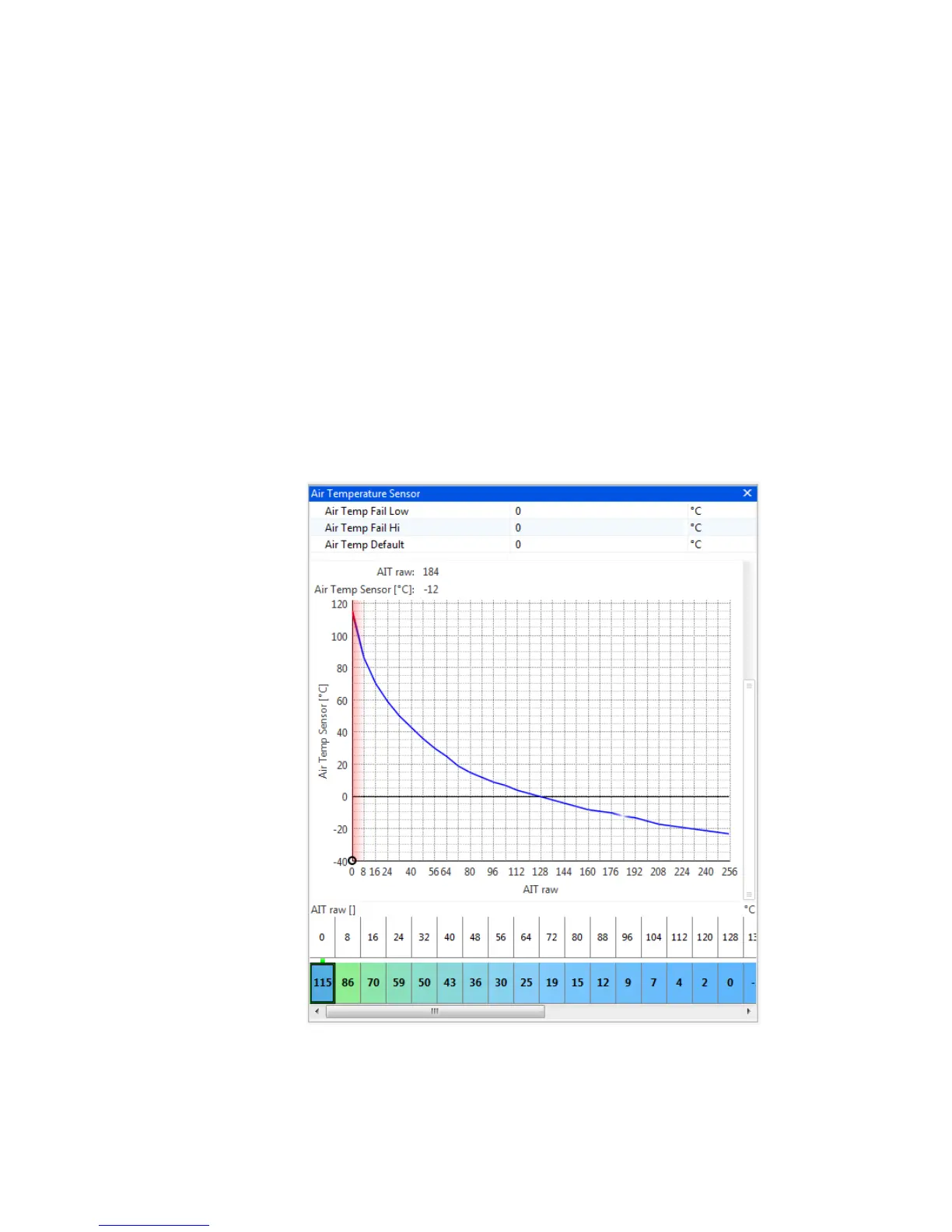
The air temperature sensor used by the Omex ECU is a resistive sensor. The raw output of this
sensor is calibrated in the ECU to give the information in a more usable form,
o
C. Sensors are
calibrated in the Air Temp Sensor table. The values for many sensors are known but you may
need to calibrate your sensors. It is essential that these sensors are calibrated correctly as many
functions are temperature based.


 To Next Page