OMEM710 Hardware Manual 2v11
27
Fuel map rescaling
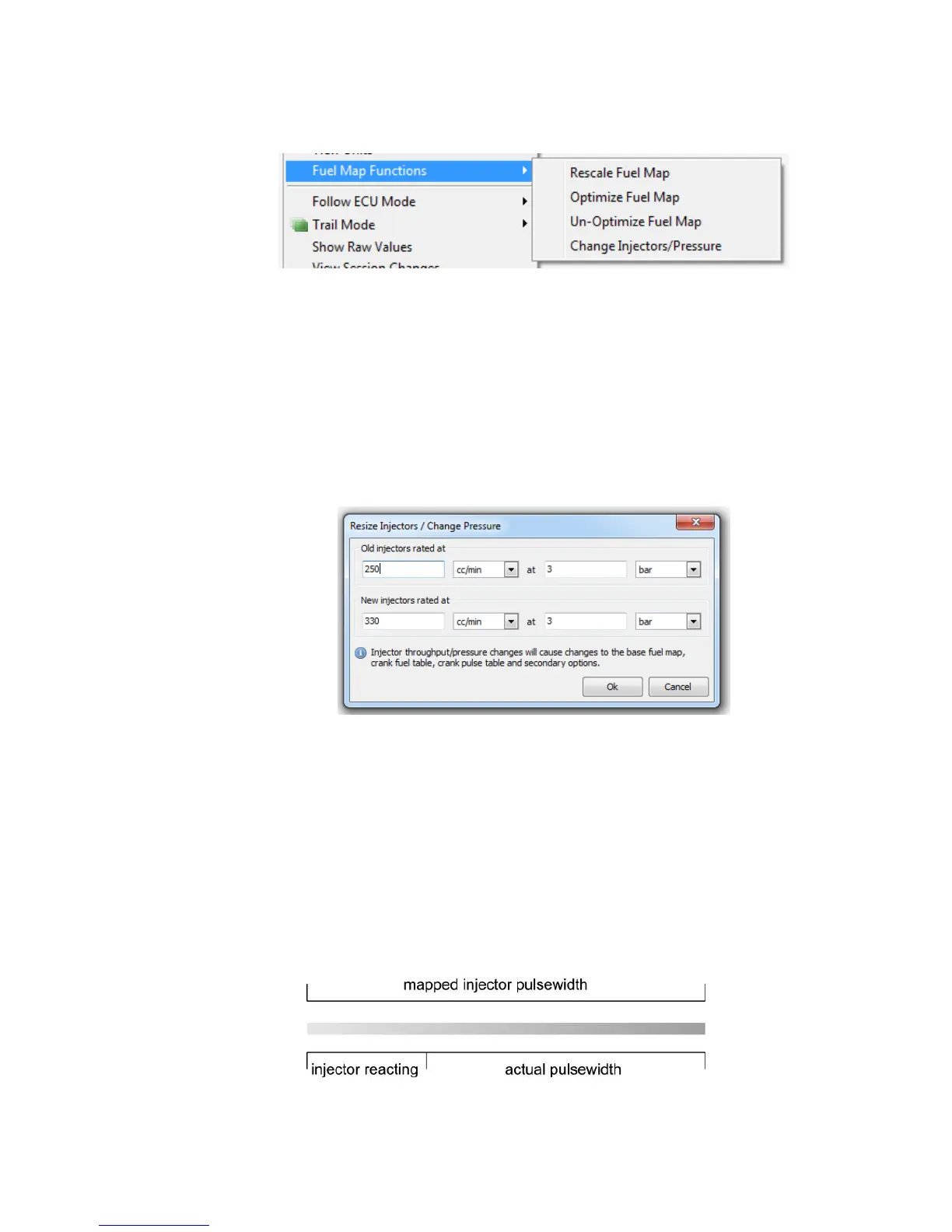
Available by a right-click on the fuel map, a pop-up menu gives commands for altering the fuel map;
Rescale fuel map - This changes the fuel map values and the option Microsec/bit such that
the pulse width for every site remains constant but the maximum value in the fuel map is
adjusted to 240. This therefore gives near maximum resolution, with an amount of headroom
should the maximum torque point require a longer pulsewidth later in the tuning.
Optimize fuel map – Rarely used. Do not use this option on an engine that is already mapped.
This changes the fuel map values, the option Microsec/bit and the option LD0MPC such that
the resolution is increased throughout the fuel map by non-linearising the raw values. This is
particularly useful when calibrating fuelling for low load sites and stable idling on high boost
engines.
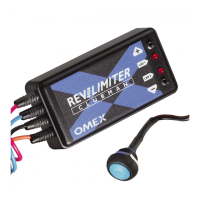
Change injectors / pressure - This allows the fuel map to be rescaled to accommodate a
change in injector size and/ or fuel line pressure. When selected, the Resize Injectors dialog is
shown:
To use this dialog;
Enter the specification of your fuel system before modification and after modification and MAP4000
will alter your fuel related maps and tables to suit.
7.1 Battery Voltage Compensation
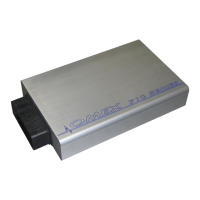
An injection period is made up physically of 2 time periods. The end period is when the injector is
open and flowing fuel, and the first period is when the injector is opening its valve and there is no
flow of fuel. At low injector durations, this period where the injector is reacting but not flowing fuel
can be significant.


 To Next Page