MF 64
Author: Donato Gavino Murru donato.gavino.murru@omgitaly.com Pag. 133 a 179
Tables adjustments
Note: Refer to general information on the chapter “Touch screen” to understand how it works.
Pay attention to adjust the working positions of the forming press without crashing
the mold against the rails of index. Perhaps, increase the amount of width of the
rails. Not doing so may result in damage to the product.
Note: The table movements are made with motors and toggles, the combination of both systems
give the necessary power to keep the mold closed during the forming cycle. When closing forming
tables, toggle position is always straight to be able to lock the system properly. For this reason, it is
necessary to adjust the closing position properly according to the depth of the mold to avoid forcing
the tables together. If not, damage to the system will occur!!!
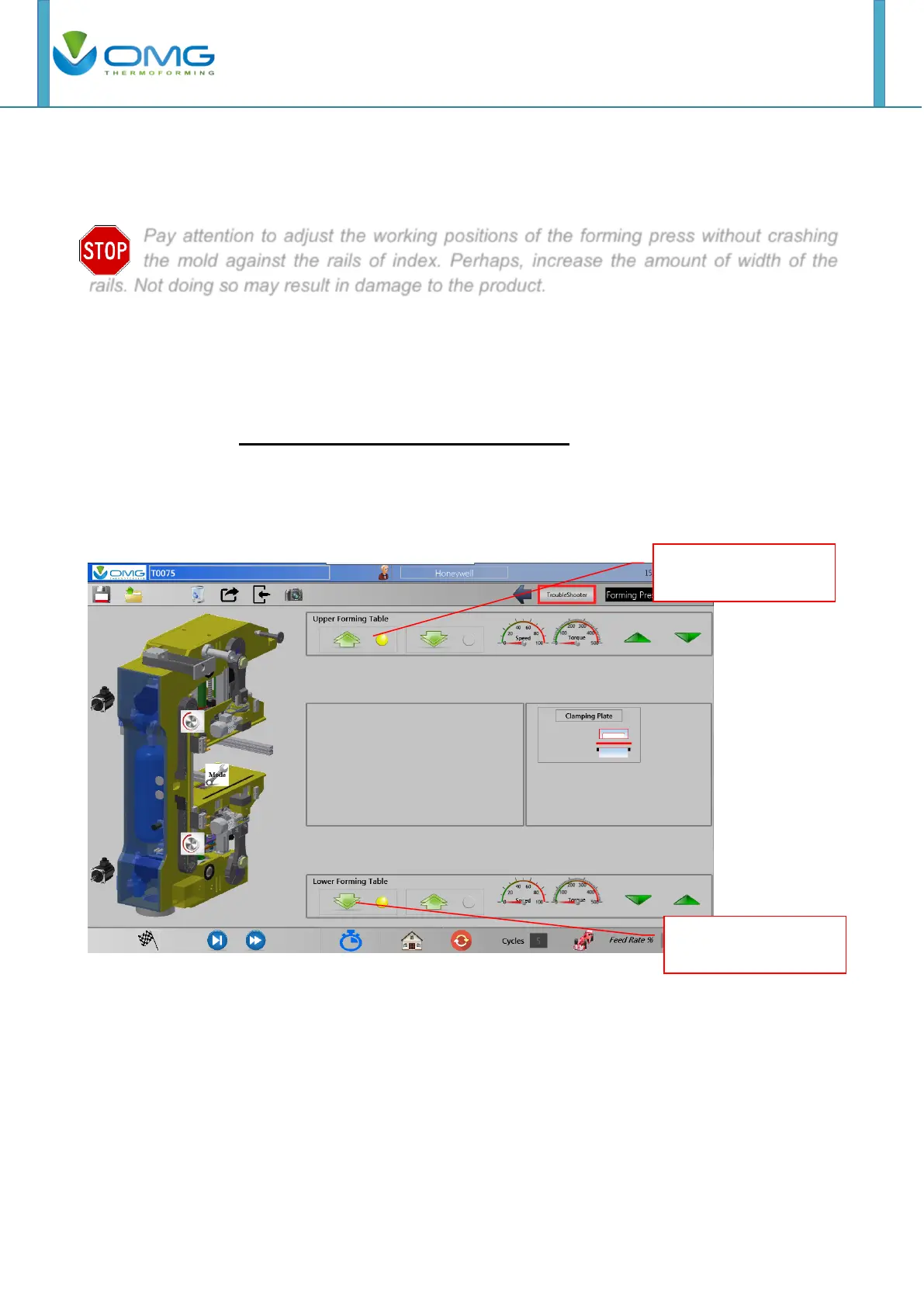
From the Main page push “Forming table”.
Using the buttons below, move Upper and Lower forming table to open position.
Push this button to
open upper forming
Push this button to
open lower forming



 To Next Page