MF 64
Author: Donato Gavino Murru donato.gavino.murru@omgitaly.com Pag. 81 a 179
Machine Management
Starting and main pages
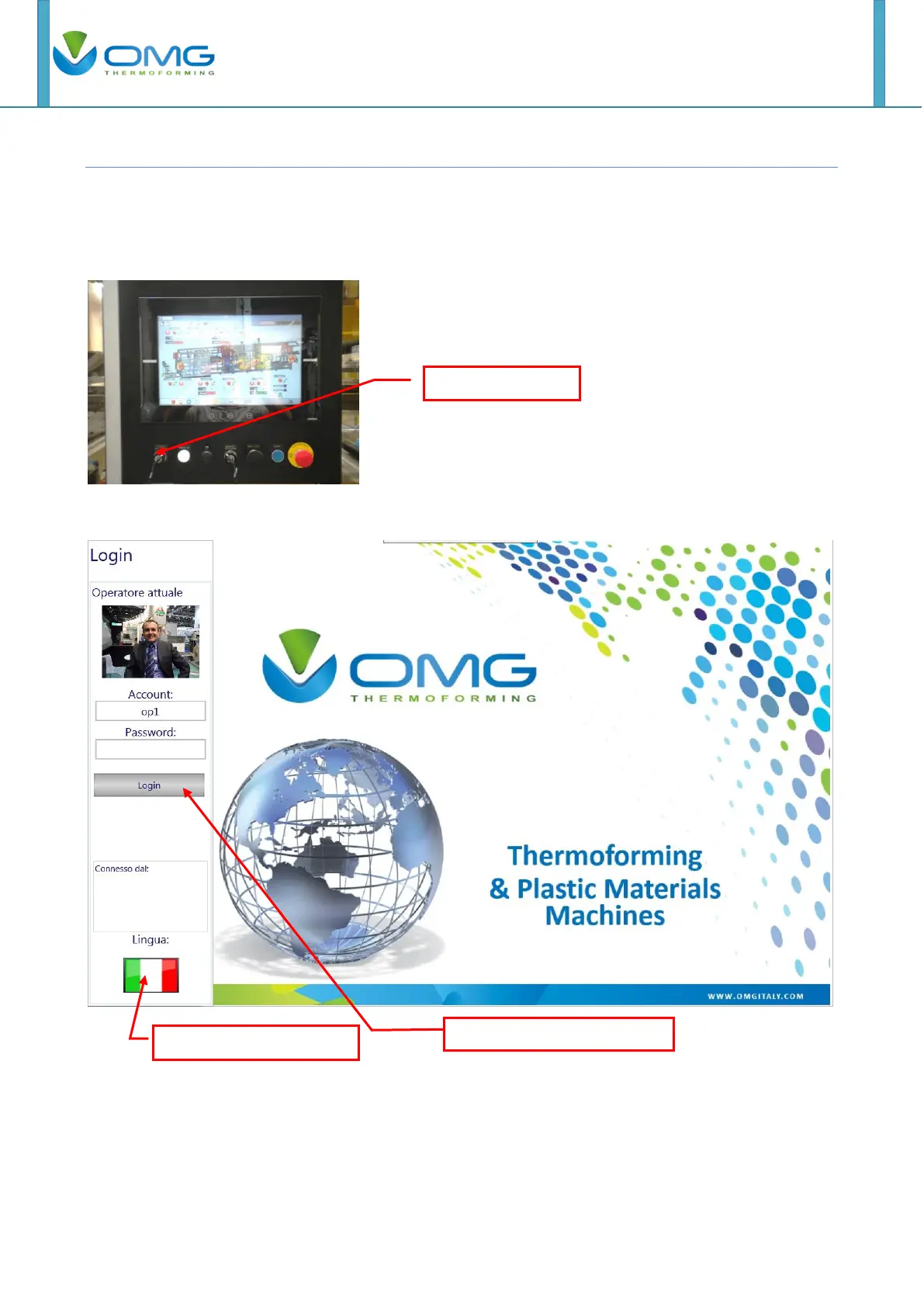
Turn on the machine operating on general switch first placed on main electical box then turn to the
right the key switch
When turn on the machines follow screen appears.
Digit the account, the password and click on the login button, for entry in the main page.
With the "op1" account, the password is blank and the operator can not do the maintenance,
settings and references stations. With the "manteiner" account, the operator can make product,
maintenance, settings, references settings and change data time. Password will provided by
O.M.G. srl.



 To Next Page