MF 64
Author: Donato Gavino Murru donato.gavino.murru@omgitaly.com Pag. 178 a 179
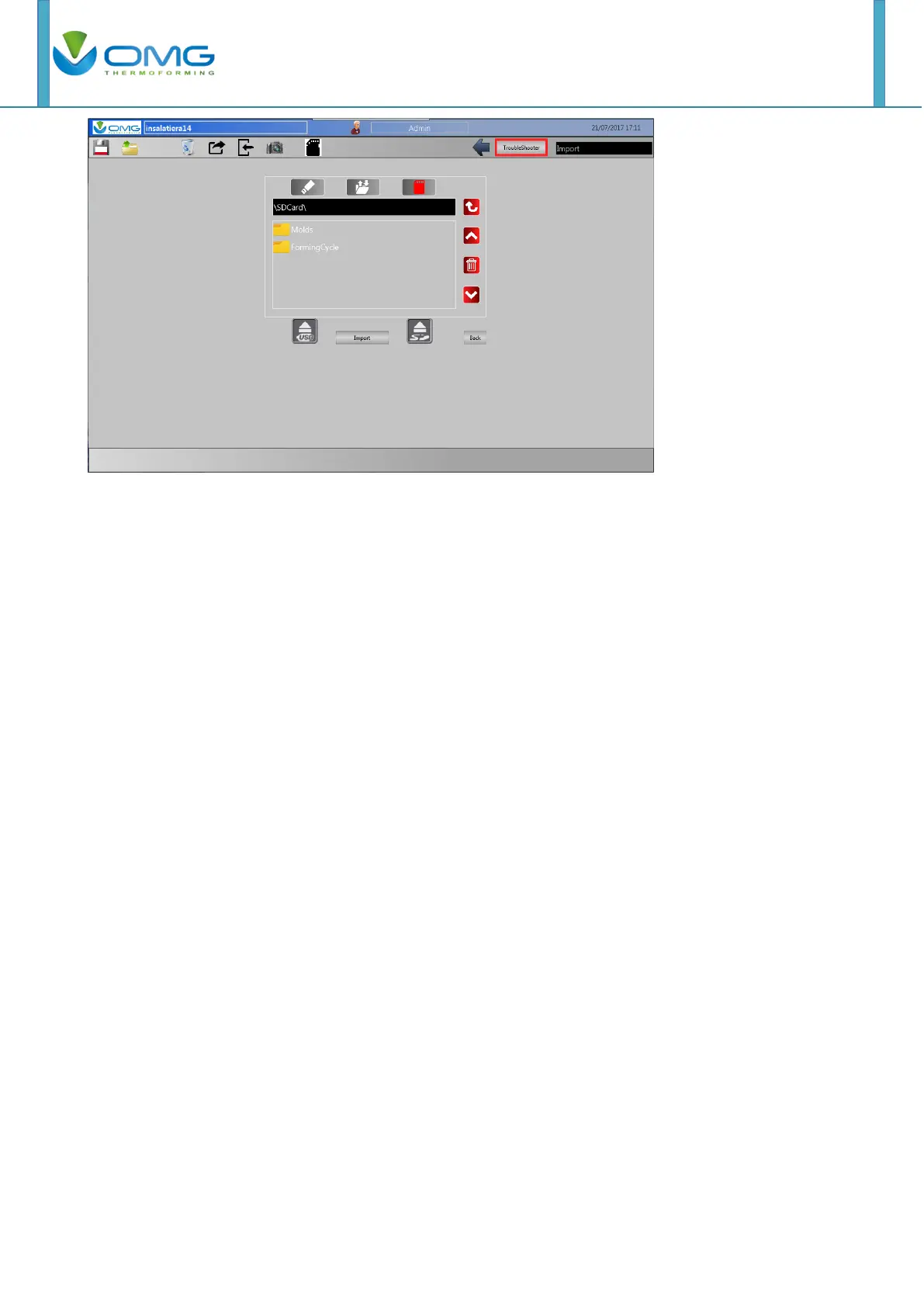
You can find the mold recipe through the folders.
Selecting one of three buttons up here (USB key, internal memory, SD), you enter into the
dedicated memory.
With the arrows you can select the folder or file that you want and the first red send key enters the
folder or open the file. The red trash button deletes what is selection.
The import button charges the selected recipe in machine.
Note: Before detaching the USB key or the SD, you must press one of two buttons with the arrow
and the words "USB" and "SD". In this way you avoid some problems on the touchscreen.
Note: Recording operations must be done with the machine stopped. If machine is not in standby
mode, the file’s screen will not be accessible. To record the molds, be sure that the lock
parameters selector switch is not activated. Must be turned to the left.



 To Next Page