“Data source” – select the data to register ignition on/off. Possible options:
“Ignition key” – the ignition on/off is registered on the position of the key upon direct
connection to the ignition key.
“Voltage” – the ignition on is registered upon reaching the vehicle network power
supply threshold voltage. Specify the value “Threshold voltage, V” – the value of the
vehicle network power supply voltage, upon reaching which the ignition on will be
registered. Ignition off is registered, when the voltage drops to 0.5 V below the
threshold.
Selection of Speed Source
In the “Settings” tab select the “Inputs” section from the list.
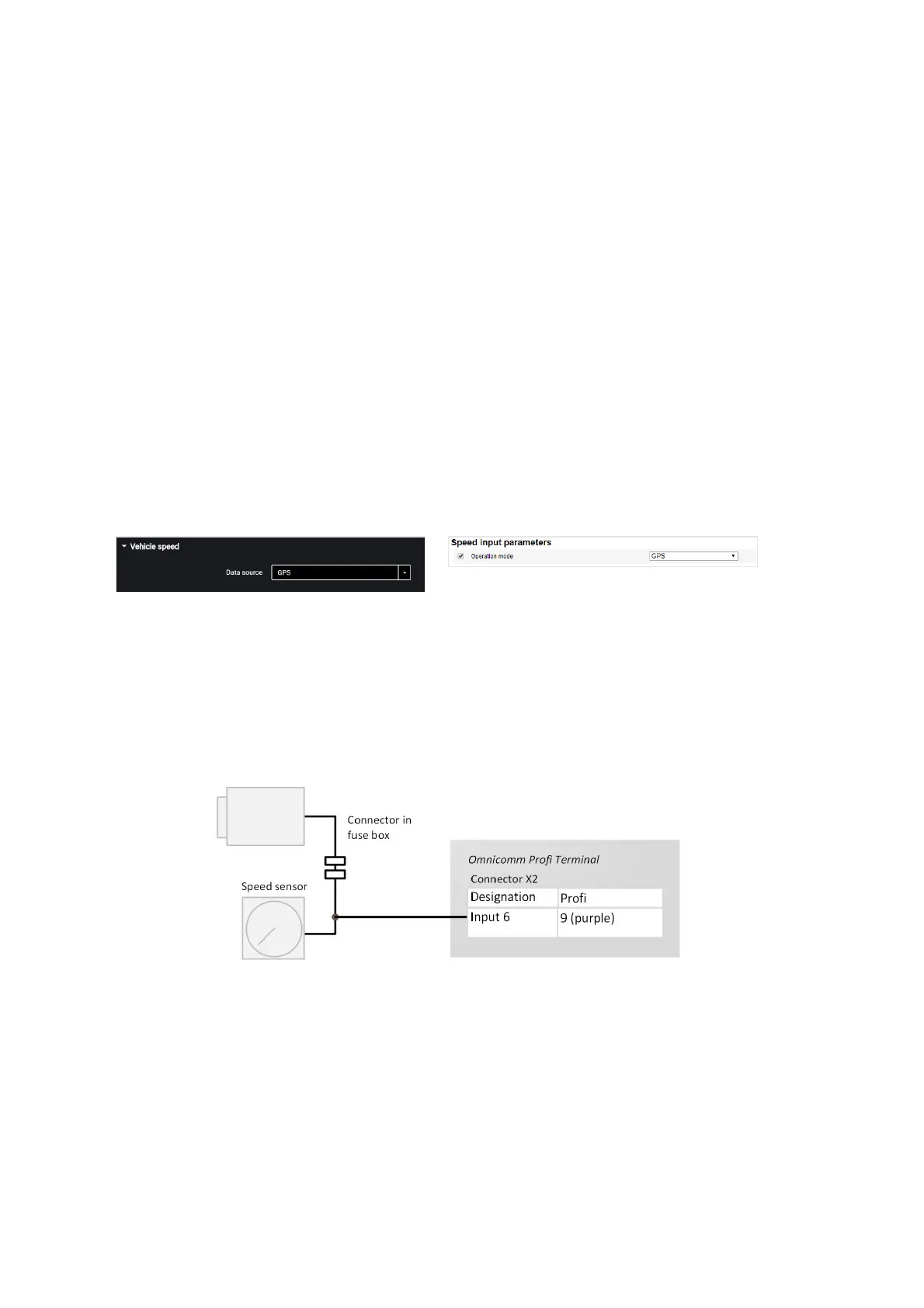
In the “Vehicle speed” section:
“Data source” – select the data to process the speed values. Possible options: “GPS”,
“CAN bus” or “UI6” (for Omnicomm Profi, Profi Wi-Fi).
Connection to universal input No.6 of the Terminal Omnicomm Profi, Profi Wi-Fi is
performed depending on the type of speed sensor.
Connection to pulse speed sensor is made according to the diagram:
Engine RPM
In the “Settings” tab select the “Inputs” section from the list.
In the “The engine revolutions” section:



 To Next Page