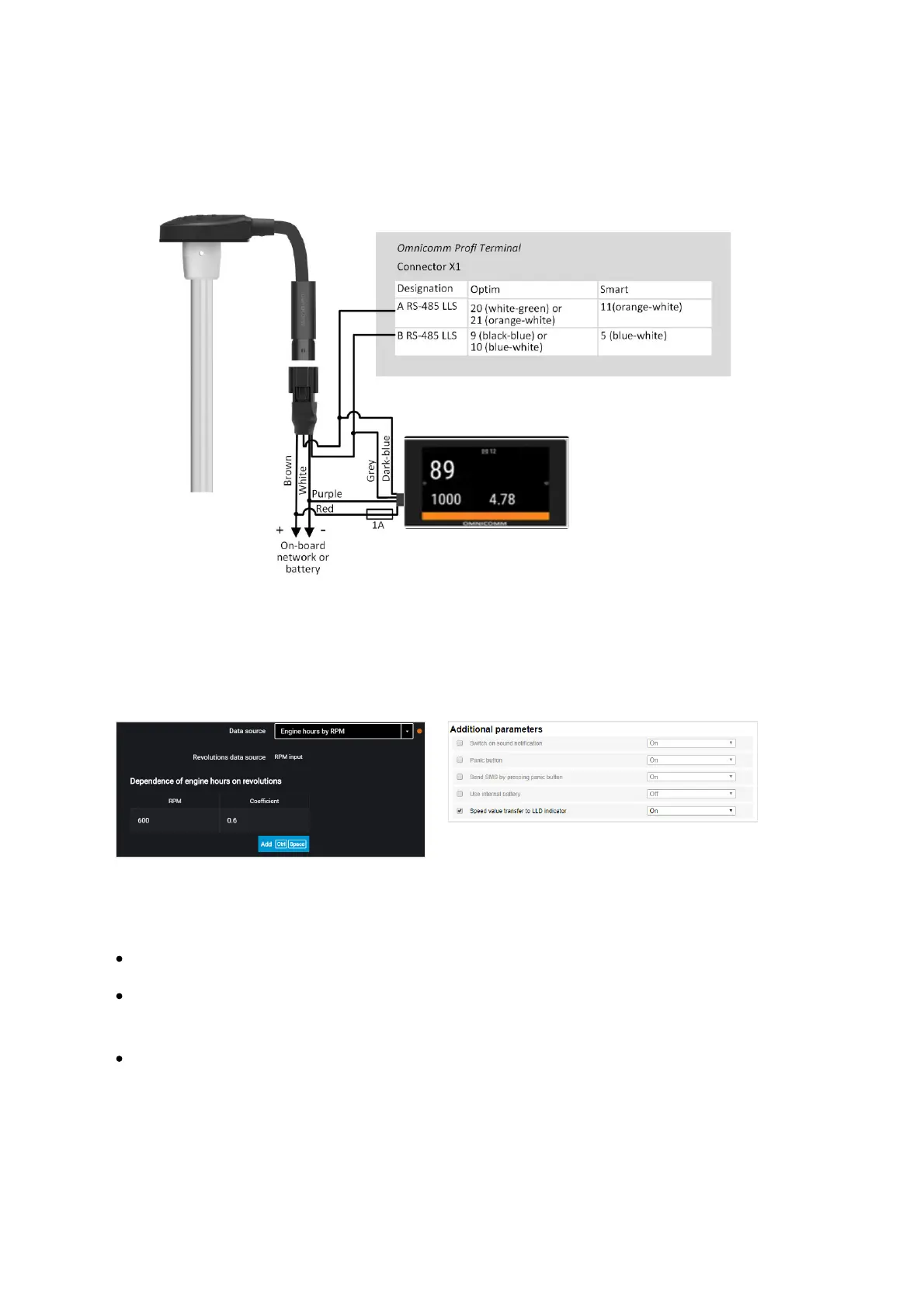
Connect Omnicomm Profi, Smart terminal to Omnicomm ICON display according to
the diagram:
Omnicomm LLD Indicator
In the “Settings” tab select the “Additional equipment” section from the list.
In the “Data transmission to Omnicomm LLD indicator” section
“Data source” – select the data source to display the value on the Omnicomm LLD
indicator. Possible options:
“GPS speed” – displays the vehicle speed
“Universal input“ – displays the status or values on the terminal universal input
depending on the connected auxiliary equipment
“Engine hours by RPM” (only for Profi, Profi Wi-Fi, Optim) – displays vehicle engine
hours
When selecting “Motor hours by RPM”, fill in the table of RPM recalculation to motor
hours as follows:



 To Next Page