Setting Overview
Omnicomm terminals may be configured in two ways:
1. In the Omnicomm Configurator when the terminal is connected to a PC
2. In the Remote Configuration Server (RCS) – remotely
Initial terminal setting shall be carried out in Omnicomm Configurator.
Omnicomm Configurator
1. Connection the terminal to a PC using USB cable
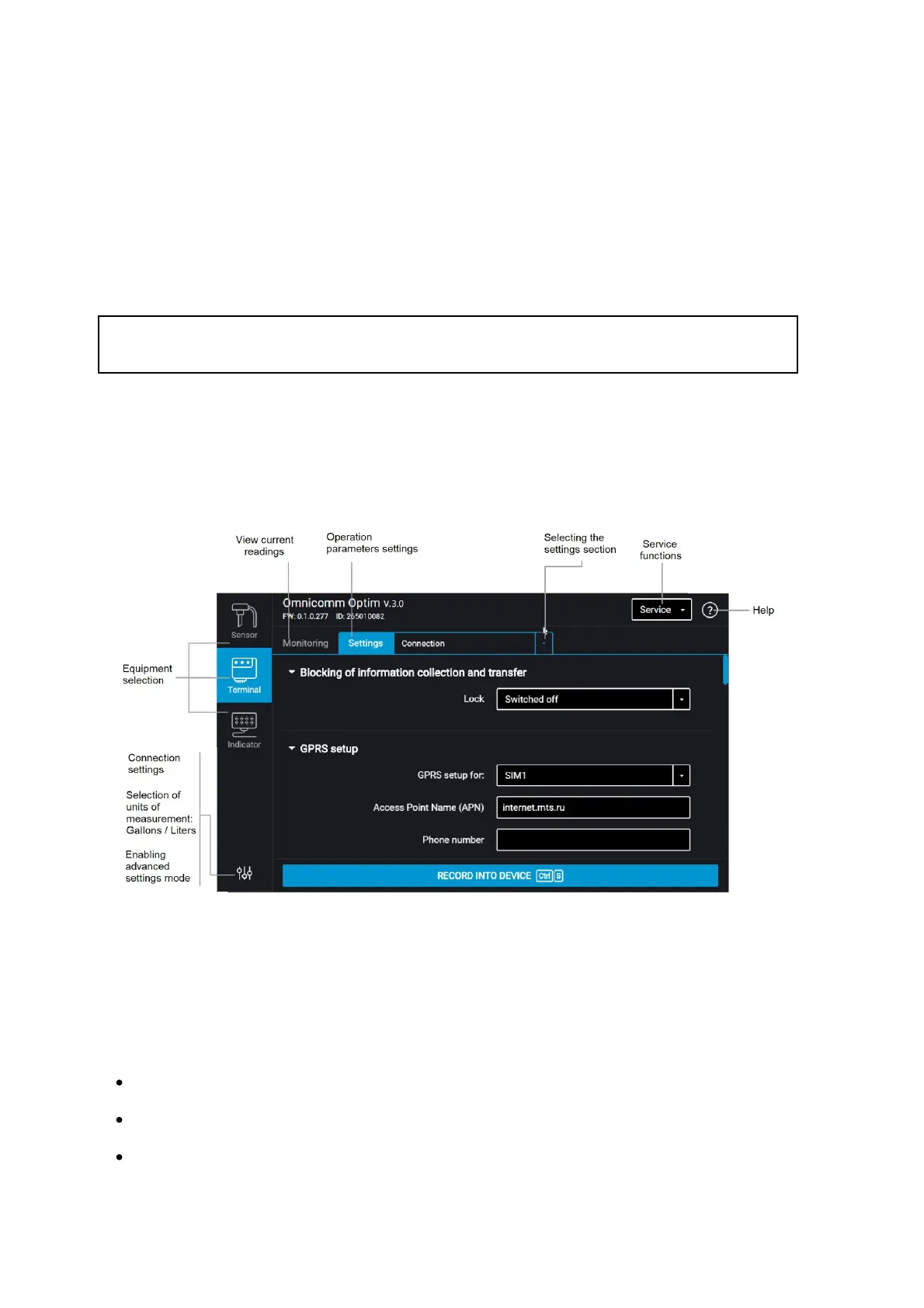
2. Install and run Omnicomm Configurator. A window will open:
3. Select equipment – “Terminal”.
Advanced mode allows you to configure all the equipment parameters available.
List of parameters shown in advanced mode only:
In the “Communication” section:
Data collection and transmission blocking
EGTS protocol settings
Communication Server No. 2 connection settings



 To Next Page