Connect one or more Omnicomm LLS fuel level sensors side-by-side via the RS-485
interface.
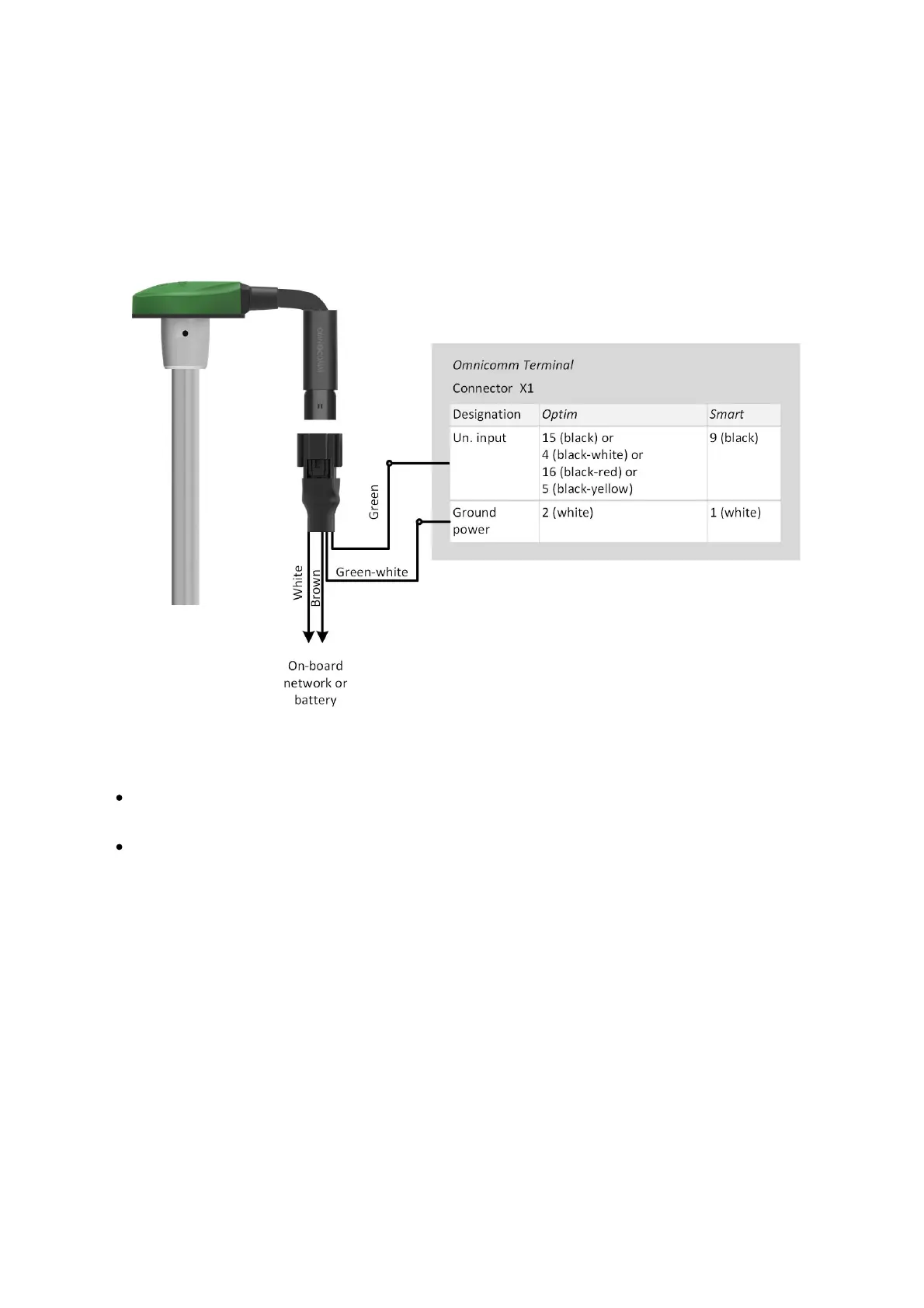
Connect Omnicomm LLS-AF fuel level sensor to the terminals Omnicomm Optim and
Smart according to the diagram:
When connecting the terminals to the “Struna +” system or the “PMP-201” sensor:
“Fuel tank volume, L” – enter the fuel tank volume. Possible values: 0 to 65,000
“Current fuel volume, L” – displays the current volume according to the “Struna +”
system or the “PMP-201” sensor
Connect the “PMP-201” sensor and the “Struna +” system according to the
documentation on these devices. You may connect only one “Struna +” system. The
network address, by default, is 80.
Omnicomm ICON Display
In the “Settings” tab select the “ICON” section from the list.



 To Next Page