In the “Settings” tab select the “Additional equipment” section from the list.
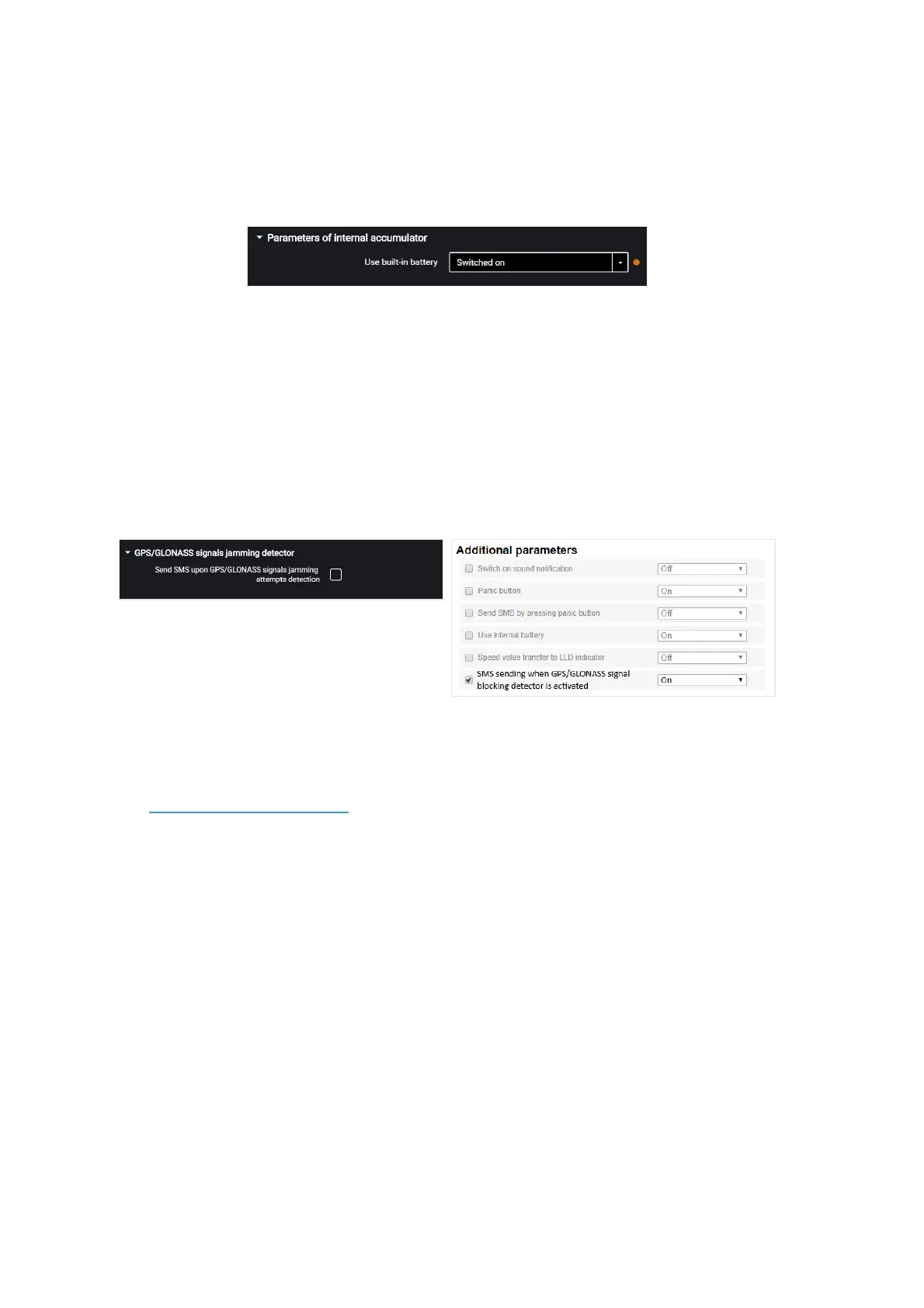
In the “Parameters of internal accumulator” section:
“Use built-in battery” – enable/disable use of internal battery when the main power
supply is turned off and the terminal is operating in the “Collect data at jolting” mode.
GPS / GLONASS Signal Jamming Detector
For Omnicomm Optim, Profi, Profi Wi-Fi terminals in the “Settings” tab select the
“Additional equipment” section from the list.
In the “GPS / GLONASS Signal Jamming Detector” section:
“SMS sending upon GPS / GLONASS signal jamming detection” – check the box to
send SMS upon registering the jamming of GPS / GLONASS.
GPS/GLONASS jamming detector can be activated when SMS configuration is enabled
(see GSM and SMS parameters).
GSM Signal Jamming Detector
For Omnicomm Profi and Profi Wi-Fi terminals in the “Settings” tab select the
“Auxiliary equipment” section from the list.
In the “GSM Signals Jamming Detector” section:



 To Next Page