Temperature Sensor
Omnicomm Optim terminals support connection of up to 8 temperature sensors.
In the “Settings” tab select the “Auxiliary equipment” section from the list.
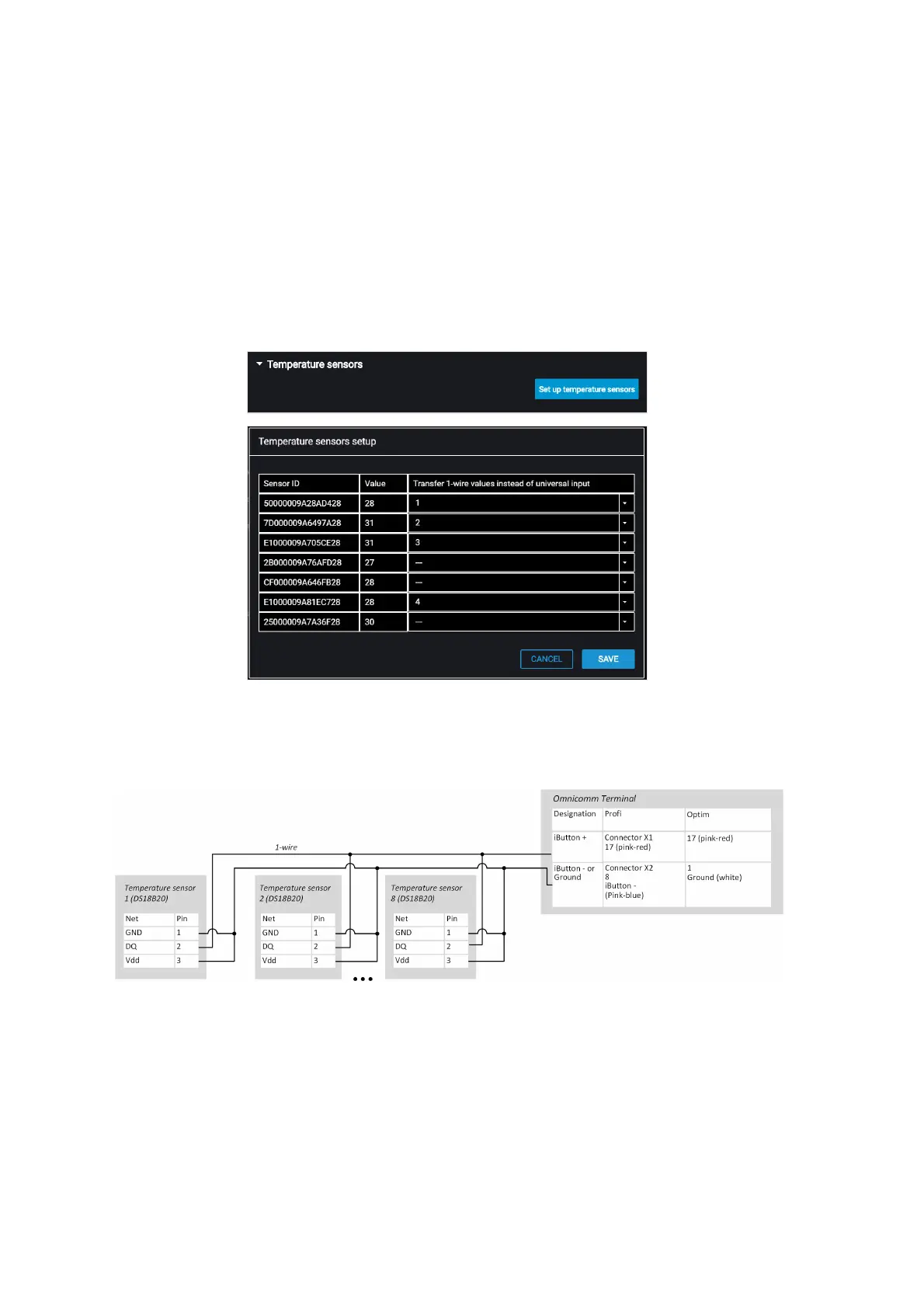
The “Temperature sensors” section displays the readings of temperature sensors
connected to 1-Wire interface:
“Send value of 1-Wire sensor instead of UI” – select the number of the universal input
for displaying the temperature values in Omnicomm Online.
Connect the temperature sensors according to the diagram:
Voice Communication
Connect the voice communication set for Omnicomm Profi, Profi Wi-Fi terminal
according to the diagram:



 To Next Page