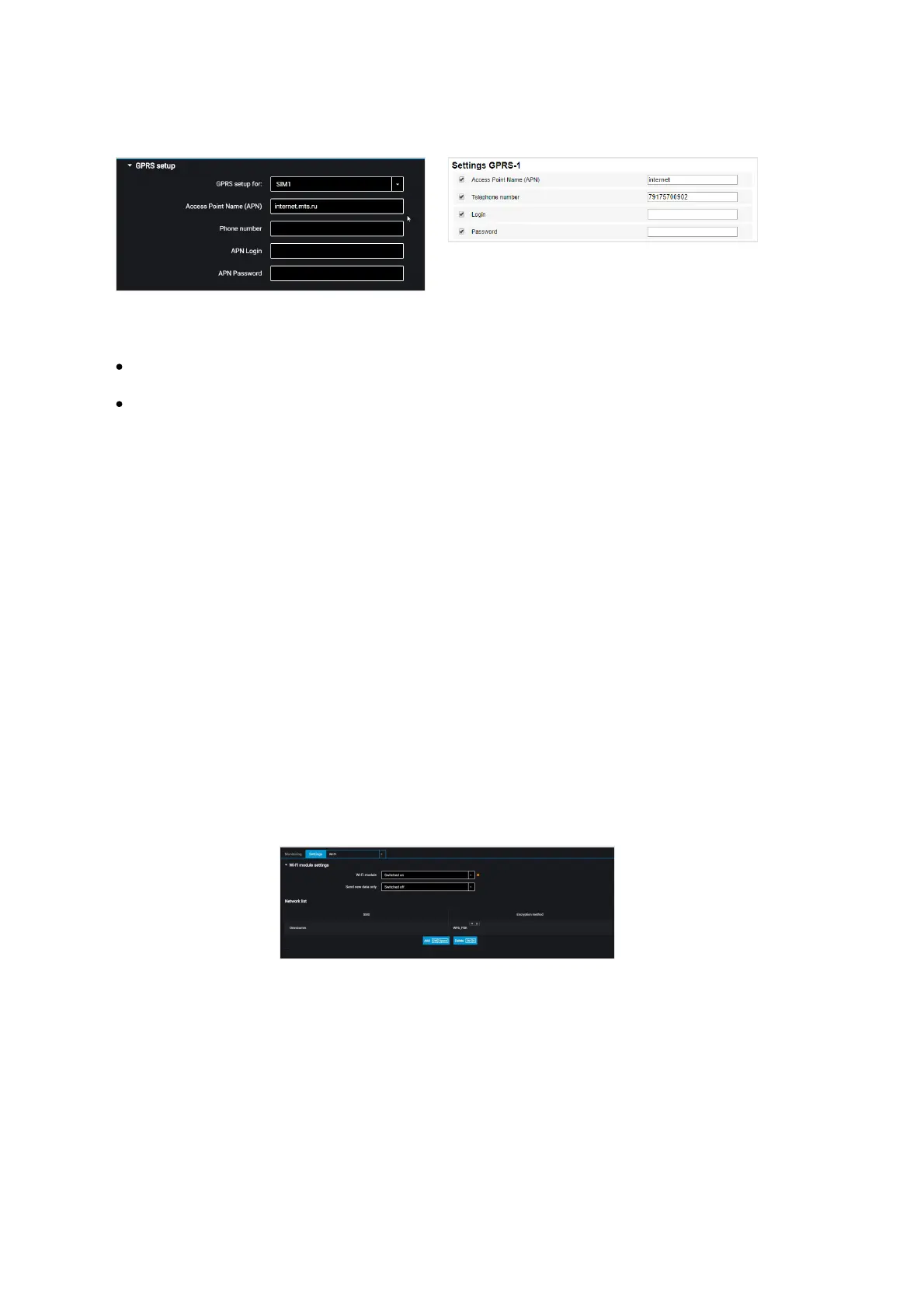
For Optim and Profi, Profi Wi-Fi choose the SIM card to perform setting:
SIM 1 – external SIM card
SIM 2 – internal SIM card / SIM chip for Omnicomm Optim or SIM chip for
Omnicomm Profi, Profi Wi-Fi
For GPRS access point names of other operators, refer to the mobile network operator,
whose SIM card is inserted in the terminal.
“Phone number” – number of the SIM card inserted in the terminal.
“APN Login” and “APN Password” – if necessary, enter login and password for APN
access point. Login and password are provided with the SIM card of a number of
mobile network operators.
Wi-Fi Data Transmission
Omnicomm Configurator provides the Omnicomm Profi Wi-Fi terminal with Wi-Fi
wireless network data transmission setting option.
In the “Settings” tab select the “Wi-Fi” section from the list.
In the “Wi-Fi module settings” section:
“Wi-Fi module” – enable/disable data transmission via Wi-Fi wireless network.
“Send only non-transmitted data” – enable/disable data duplication when using
multiple Local communication servers. When the parameter is enabled, the data
transmitted to one LCS will not be transmitted to other LCS operating on the same IP-
address.
“SSID” – enter the access point name specified when configuring the Wi-Fi base
station



 To Next Page