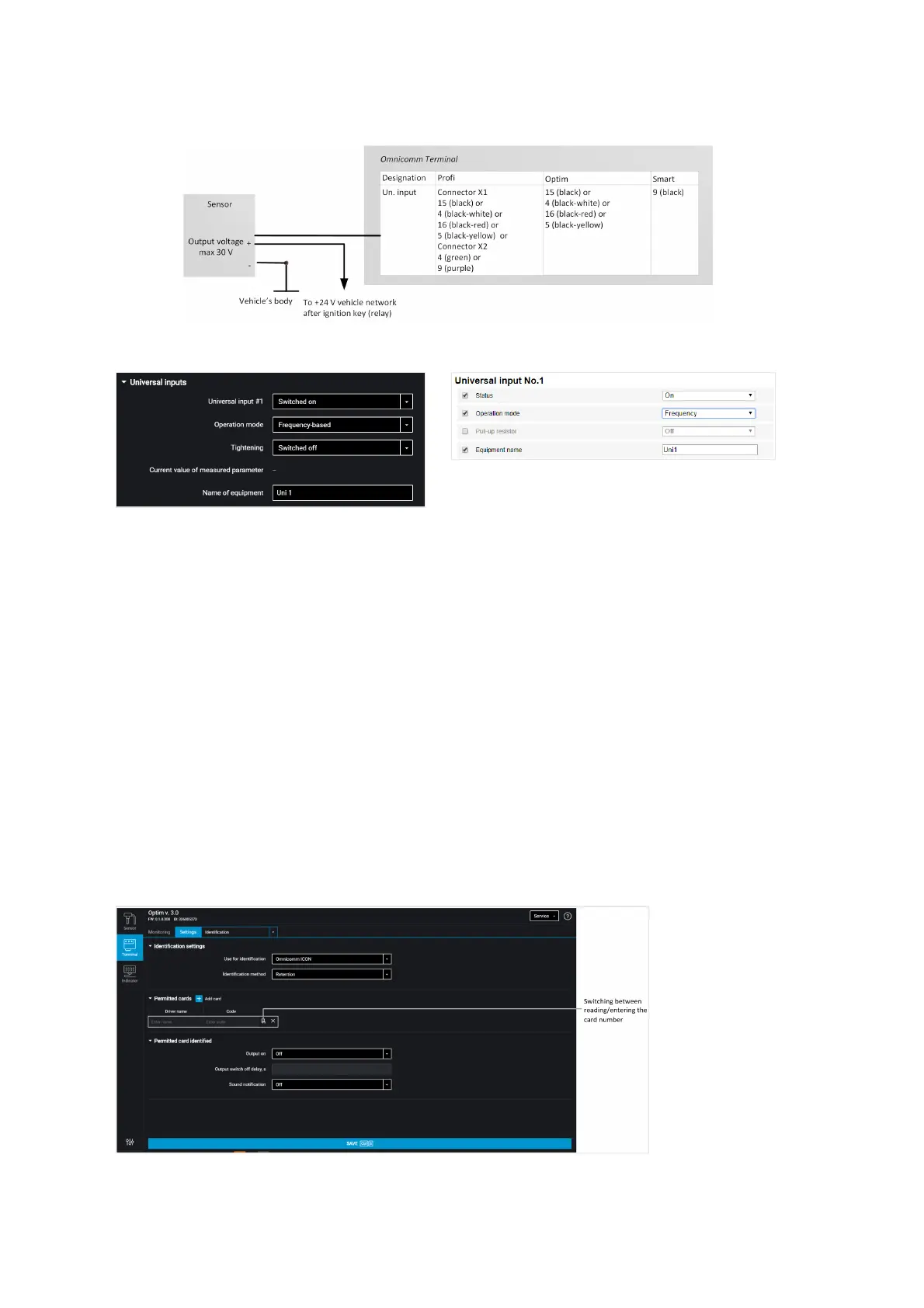
Sensors with frequency output
“Universal input” – select “Enabled”.
“Operating mode” – select “Frequency”.
“Pull-up resistor” – select “Enabled” when working with “open collector”-type sensors
or contact sensors.
“Current value at universal input” – current measured value.
“Equipment name” – enter the monitored parameter name.
Driver Identification
In the “Settings” tab select the “Identification” section from the list.
For Omnicomm Optim, Profi, and Profi Wi-Fi terminals, in “Identification settings”
section:



 To Next Page