108
Exchanging Data with the CPU Unit Section 5-1
This function is enabled only in Registration Table Enable Mode, i.e., when
SW4 (REGS) is turned ON on the Master Unit when the power is turned ON
and the Registration Table data is normal). It can be used with any communi-
cations mode number.
If a Slave Unit is found to be not in agreement during the verification, the Reg-
istration Table Verification Error Flag (status bit 01) will turn ON. Remote I/O
communications will still start, if the Registered Slave Unit Participation
Standby Mode is disabled. If the Registered Slave Unit Participation Standby
Mode is enabled, remote I/O communications will not start.
Operation The operation for each case is as follows:
• If all registered Slave Units are participating within the Registered Slave
Unit Participation Monitoring Time after the power is turned ON or after
the Remote I/O Communications Startup Switch is turned ON in the I/O
Communications Manual Startup Mode, the All Registered Slave Units
Participating Flag (status bit 06) will turn ON. (The default monitoring time
is 10 s for any baud rate other than 93.75 kbps, and 30 s for 93.75 kbps.
Also see note 1.)
• If no unregistered Slave Units are participating, the Registration Table
Verification Error Flag will turn OFF.
• If any unregistered Slave Unit is participating, a verification error (un-
registered Slave Unit) will occur and the Registration Table Verification
Error Flag will turn ON. At the same time, the NS indicator on the front
of the Master Unit will flash red and the seven-segment display will
show d6.
• If all registered Slave Units are not participating within the Registered
Slave Unit Participation Monitoring Time after the power is turned ON (or
after the Remote I/O Communications Start Switch is turned ON when the
Remote I/O Communications Manual Start Mode is enabled), a verifica-
tion error (non-existent Slave Unit) will occur and the Registration Table
Verification Error Flag will turn ON. (The default monitoring time is 10 s for
any baud rate other than 93.75 kbit/s, and 30 s for 93.75 kbit/s. Also see
note 1.) At the same time, the NS indicator on the front of the Master Unit
will flash red and the seven-segment display will show d5. If the applicable
Slave Unit subsequently starts participating, the Registration Table Verifi-
cation Error Flag will turn OFF and the error display will be cleared.
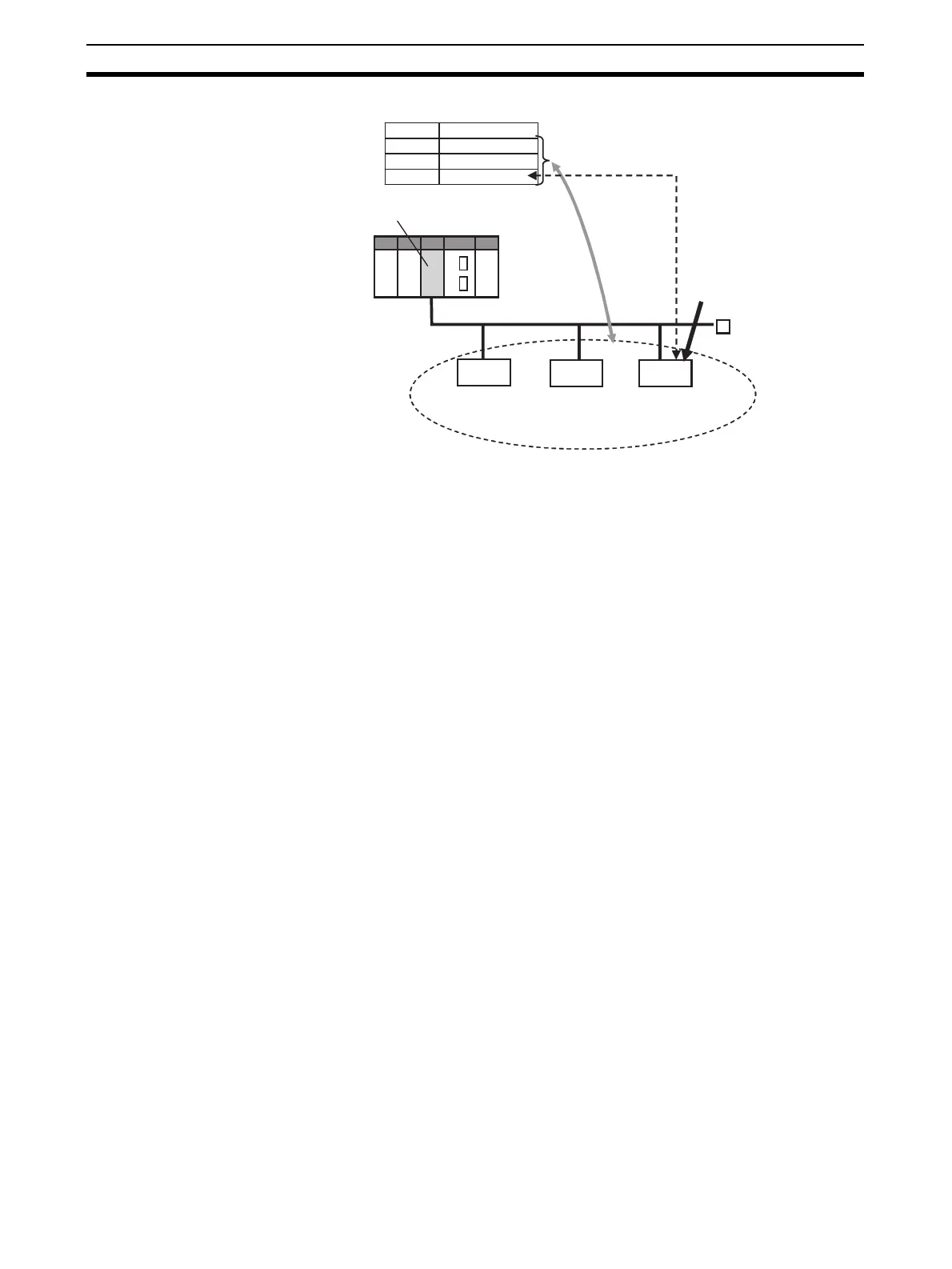
00 CRT1-ID16
01 CRT1-ID16-1
02 CRT1-OD16
Example
Registration Table
Node
Model
Master Unit
CRT1 Network
Verification
Does not agree. (Model is wrong.)
Because it does not
agree, this Slave Unit
cannot participate.
Slave Unit
Slave Unit
Slave Unit
Input Slave
Node 00
CRT1-ID16
Input Slave
Node 01
CRT1-ID16-1
Output Slave
Node 02
CRT1-OD16-1












 To Next Page