2. Using Non-contact Door Switch
G9SX
USER'S GUIDE
23
Application ExamplesSection 1
■ Wiring Example
Setup (For details, refer to Section 3.)
G9SX-BC: Manual reset, Cross fault detection mode: ON (Category 4 Wiring)
G9SX-NS: Auto reset, Logical AND connections (Category 3 Wiring)
Wiring Example
Note: This example corresponds to category 3.
M3
KM6
KM5
KM6
KM5
+24V
NC
+24V
OFF
AND
G9SX-NS202
(Robot door B)
Control circuit
S4
KM6KM5
S14 S24
A2
A1 D1 D3 D4 Y1
T31 T32 T33
T41 T42
D2
L1 X1 X2
NC
Y1
M2
KM4
KM3
KM4
KM3
+24V+24V
OFF
AND
G9SX-NS202
(Robot door A)
S3
KM4KM3
S14 S24
A2
A1 D1 D3 D4
T31 T32 T33
T41 T42
D2
L1 X1 X2
KM2
KM1
S2
12
11 21
22
+24V
M1
KM2
KM1
S1
+24V
NC
G9SX-BC202
Control circuit
KM2KM1
S14 S24
A2
A1
T11T11 T12 T21 T22 T31 T32 T33
Y1
L1 L2 X1 X2
Feedback Loop
GND
GND GND
Control circuit
PLC etc.
Actuator
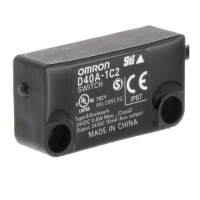
Non-contact
Door Switch
Actuator
Non-contact
Door Switch
Feedback Loop Feedback Loop
PLC etc.
PLC etc.
S1 : Emergency Stop Switch
S2 : Reset switch
S3, S4 : Non-contact Door Switch
KM1 to KM6 : Contactor
M1 to M3 : 3-phase motor



 To Next Page