EasyManua.ls Logo

Omron G9SX - Page 24

Omron G9SX
104 pages
Print Icon
To Next Page IconTo Next Page
To Previous Page IconTo Previous Page
Loading...
Application ExamplesSection 1
2. Using Non-contact Door Switch
24
G9SX
USER'S GUIDE
Timing chart
(1) Before operation is started.
(2) Robot door A is opened and robot A stops.
(3) Robot door A is closed and robot A restarts.
(4) Robot door B is opened and robot B stops.
(5) Robot door B is closed and robot B restarts.
(6) If the Emergency Stop Switch is pressed, the upper unit, lower unit A, and lower unit B will all stop.

G9SX-NS202 (lower unit : Robot A)
G9SX-NS202 (lower unit : Robot B)
Emergency Stop Switch S1
Reset switch S2
Logical AND output L1
KM1, KM2 NC contact
KM1, KM2 NO contact
G9SX-BC202 (upper unit)
Logical AND input T41
KM3, KM4 NC contact
KM3, KM4 NO contact
KM5, KM6 NC contact
KM5, KM6 NO contact
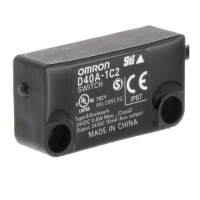
Non-contact
Door Switch S3
Non-contact
Door Switch S4
Rotation of motor M3
Rotation of motor M2
Rotation of motor M1
(6)
(1) (2) (3)
(4) (5)

Table of Contents

Related product manuals