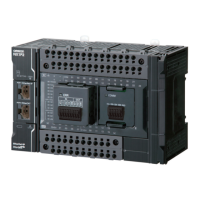
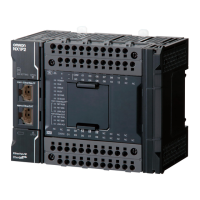
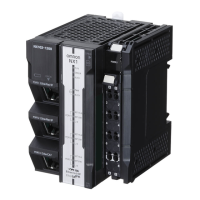
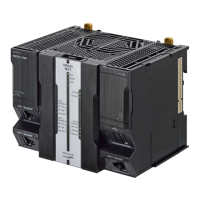
Connection Connection method
Sysmac Studio Use USB or the built-in EtherNet/IP port.
For NX1P2 CPU Unit
, only the built-in EtherNet/IP ports
can be used.
Between Controllers
NJ/NX-series Controller or CJ-series PLC Use the built-in EtherNet/IP port or a port on an
EtherNet/IP Unit.
*1
Devices Servo Drives, general-purpose slaves
and Vision Systems
Use the built-in EtherCA
T port.
Ethernet communications devices Use the built-in EtherNet/IP port or a port on an
EtherNet/IP Unit.
*1
Serial communications devices Mount the following Units and use RS-232C port or
RS-422A/485 ports.
• CJ-series Serial Communications Unit
*2
• Serial Communications Option Board
*3
• NX-series Communications Interface Unit
*3
DeviceNet slaves
Mount a CJ-series DeviceNet Unit
*2
and use DeviceNet.
CompoNet slaves
Mount a CJ-series CompoNet Master Unit
*2
and use
CompoNet.
Programmable T
erminals Use the built-in EtherNet/IP port or a port on an
EtherNet/IP Unit.
*1
Servers Connections to BOOTP server, DNS
server, or NTP server
Use the built-in EtherNet/IP port or a port on an
EtherNet/IP Unit.
*1
*1. Use a CJ-series EtherNet/IP Unit with a unit version of 2.1 or later.
Also, mount the EtherNet/IP Unit to an NJ-series CPU Unit with unit version 1.01 or later, and use Sysmac Studio version
1.02 or higher
.
Refer to the NJ/NX-series CPU Unit Software User’s Manual (Cat. No. W501) for information on version upgrades.
*2. Mount to an NJ-series CPU Unit.
*3. Mount the Unit to the NX-series NX1P2 CPU Unit.
2 System Configuration
2-9
NX-series NX1P2 CPU Unit Hardware User’s Manual (W578)
2-3 Network Configuration
2


 To Next Page
 Loading...