-24-
8-3
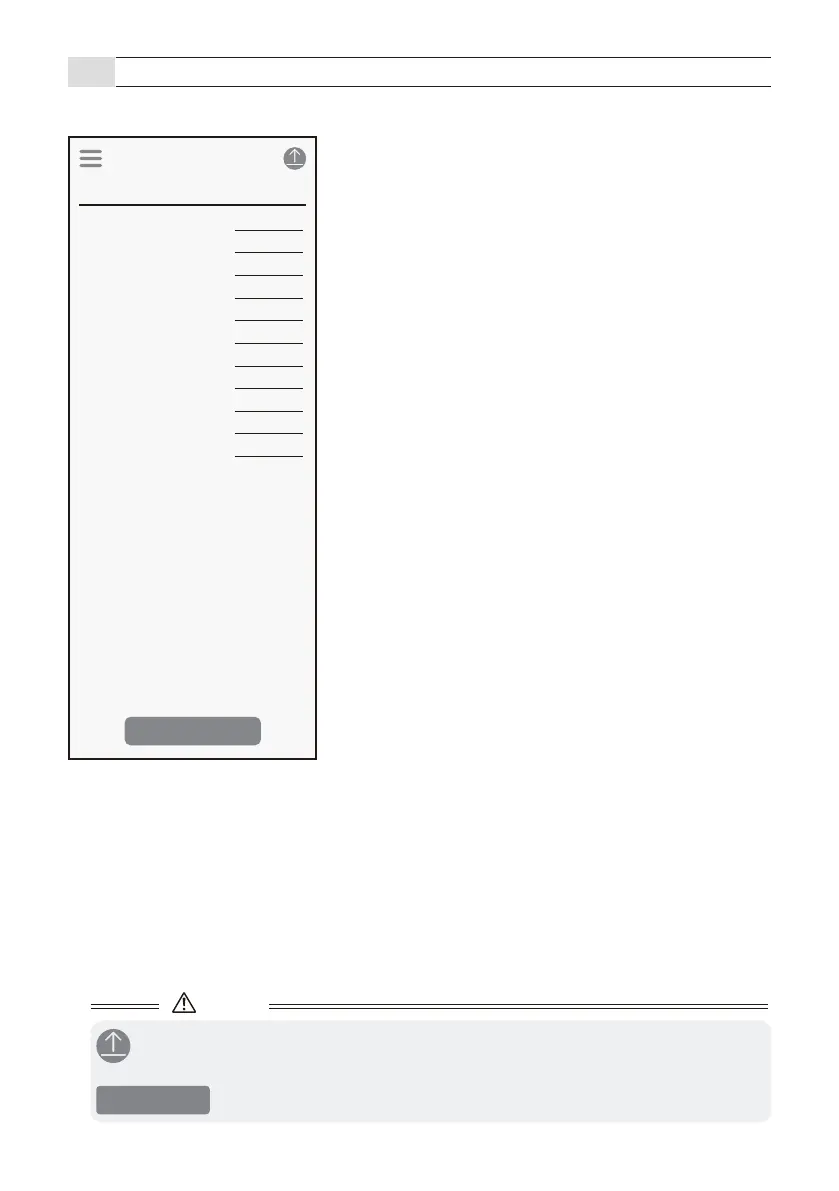
App description (Parameter screen)
- Check and change the sensor parameters.
■ Applications
Change it by tapping Menu Icon > Favorites > Select application.
[1] Detection range
Refer to page 8
[2] Main sensitivity
Refer to page 25
[3] Fine tuning presence
Refer to page 25
[4] Close range sensitivity
Refer to page 26
[5] Side approach detection
Refer to page 26
[6] Vibration sensitivity
Refer to page 26
[7] Sensitivity boost
Refer to page 27
[8] Sensitivity boost timer
Refer to page 27
[9] Relay response time
Refer to page 28
[10] Presence detection timer
Refer to page 28
[11] Slide gate cancellation
Refer to page 28
Caution
Parameter
Application
Main sensitivity Lv.2
Fine tuning presence
Barrier Protection 90 deg
Detection range 3.5m (11.5’ )
Lv.4
Close range sensitivity
Lv.2
Side approach detection
On
Vibration sensitivity
Off
Sensitvity boost
Off
Sensitvity boost timer
Off
Relay respose time
Lv.1
Presence detection timer
15min
Slide gate cancellation
Lv.1(Low)
Calibration
- After changing settings, be sure to tap the Send icon to send the settings to the sensor.
- Perform this if the operation is unstable, or there is a false detection or loss of detection.
- Please perform this when there are no vehicles or objects in the surrounding.
Calibration



 To Next Page