-30-
Heater
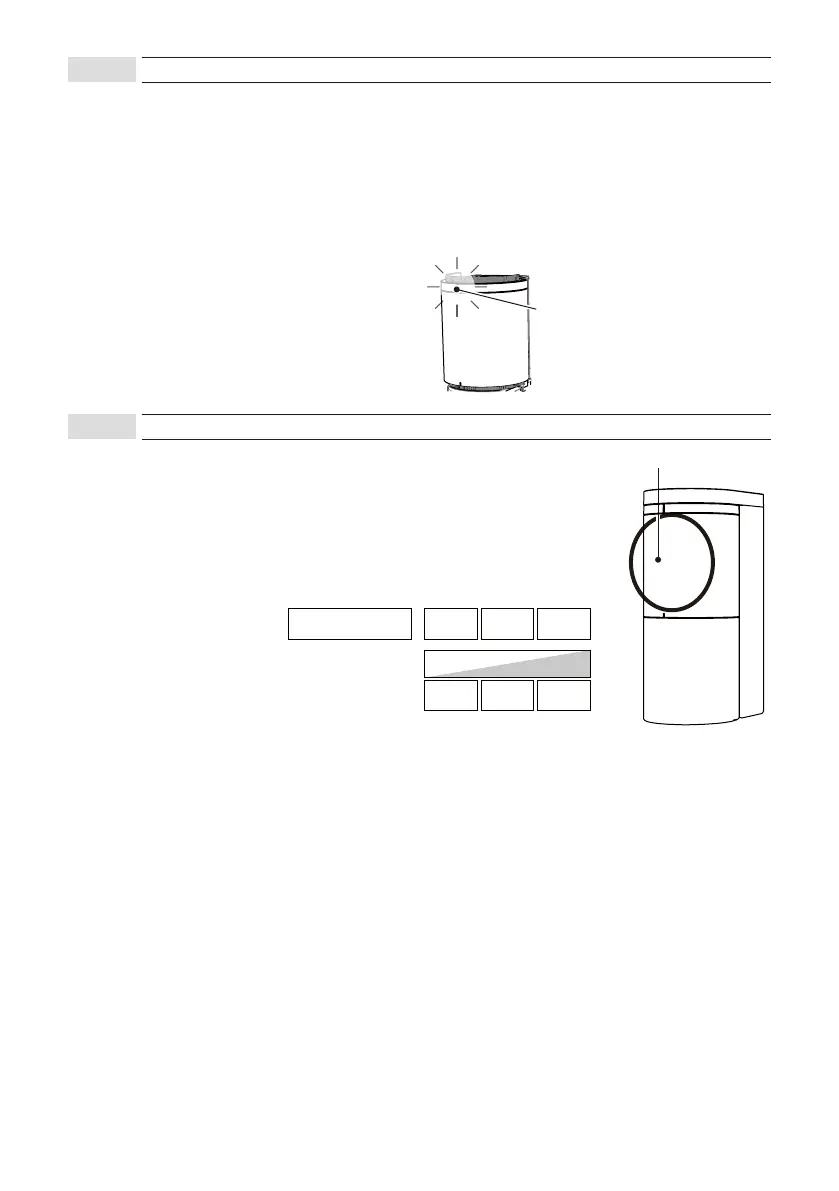
The operation indicator can be selected to On or Off from the App. Set it from the “Indicator” item on the
“Input and output” screen.The operation indicator is always On while connected to the App.
●Operation indicator On / Off function
• From the “Input and output” screen of the App
• Hold a magnet close to the operation indicator to toggle indicator On and Off(only when not connected to
the App)
To minimize the influence of frost and snow, the sensor unit has a built-in heater.
The heater is automatically activated when the external temperature drops to
5°C (41°F) or lower. (The heater is automatically deactivated when the
external temperature reaches 5°C (41°F) or higher.)
The heater can be selected to be active or inactive from the App.
Set it from the “Heater” item on the “Input and output” screen.
Operation indicator
8-4-1
Operation indicator
8-4-2
Heater
*Power consumption is the maximum value when 24VDC is used
Heater
LOWHeater power
Power consumption
HIGH
Off
Normal High
90
m
A
220
m
A
300
m
A



 To Next Page