-7-
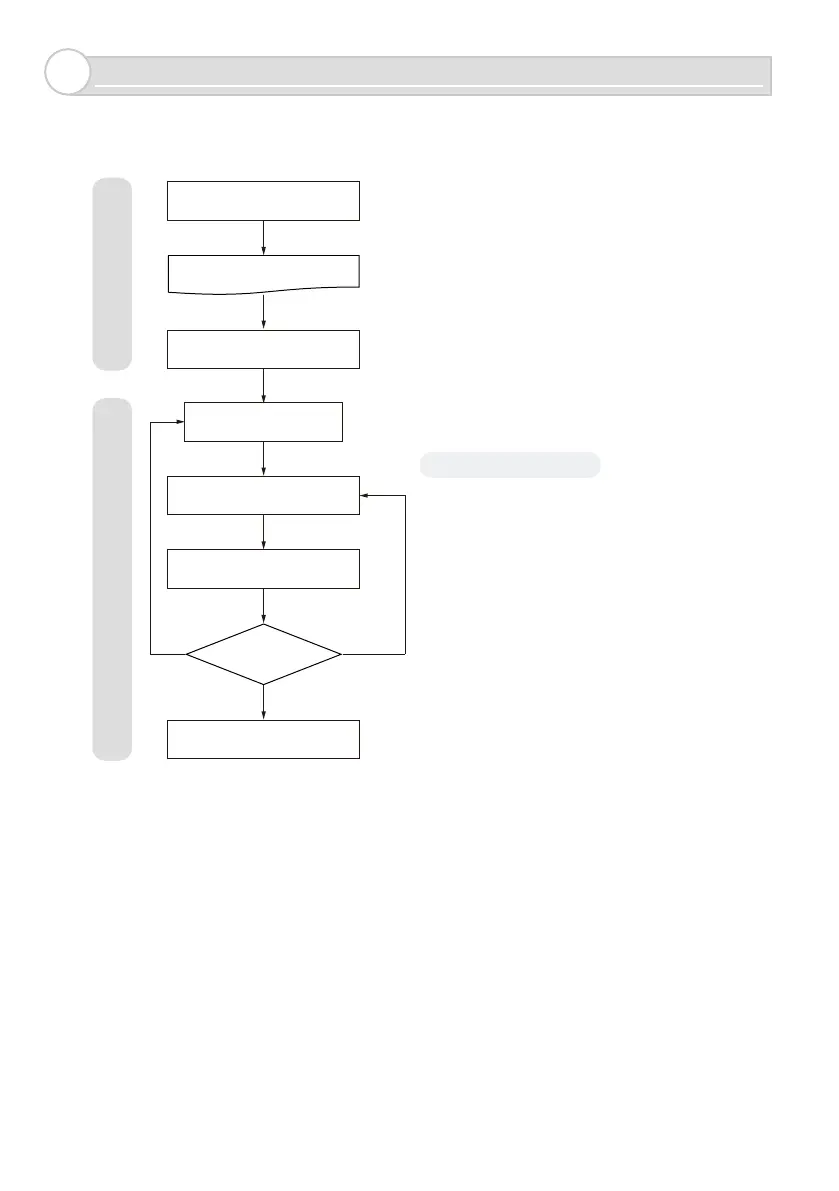
Installation steps
5
Angle fail
(no good)
Distance fail
(no good)
OK
Create an installation diagram
Place the unit
Set the sensor
Calibration
Verify the sensor
installation conditions
Complete iinstallation of the unit
Check the detection
area
Drilling holes in the installation area
P.14
P.15 to 17
P.9 to 10
*Angle adjustments can be made
When using Input/Output,
go to P.29 to 33
Record the sensor name and installation layout
and keep them in a safe place.
Record the sensor name and password
and keep them in a safe place.
P.19, 20
P.17
When no good,
go to P.21 to 28
P.18
P.6, 8
Chapter 6Chapter 7
Use smarthone app



 To Next Page