71
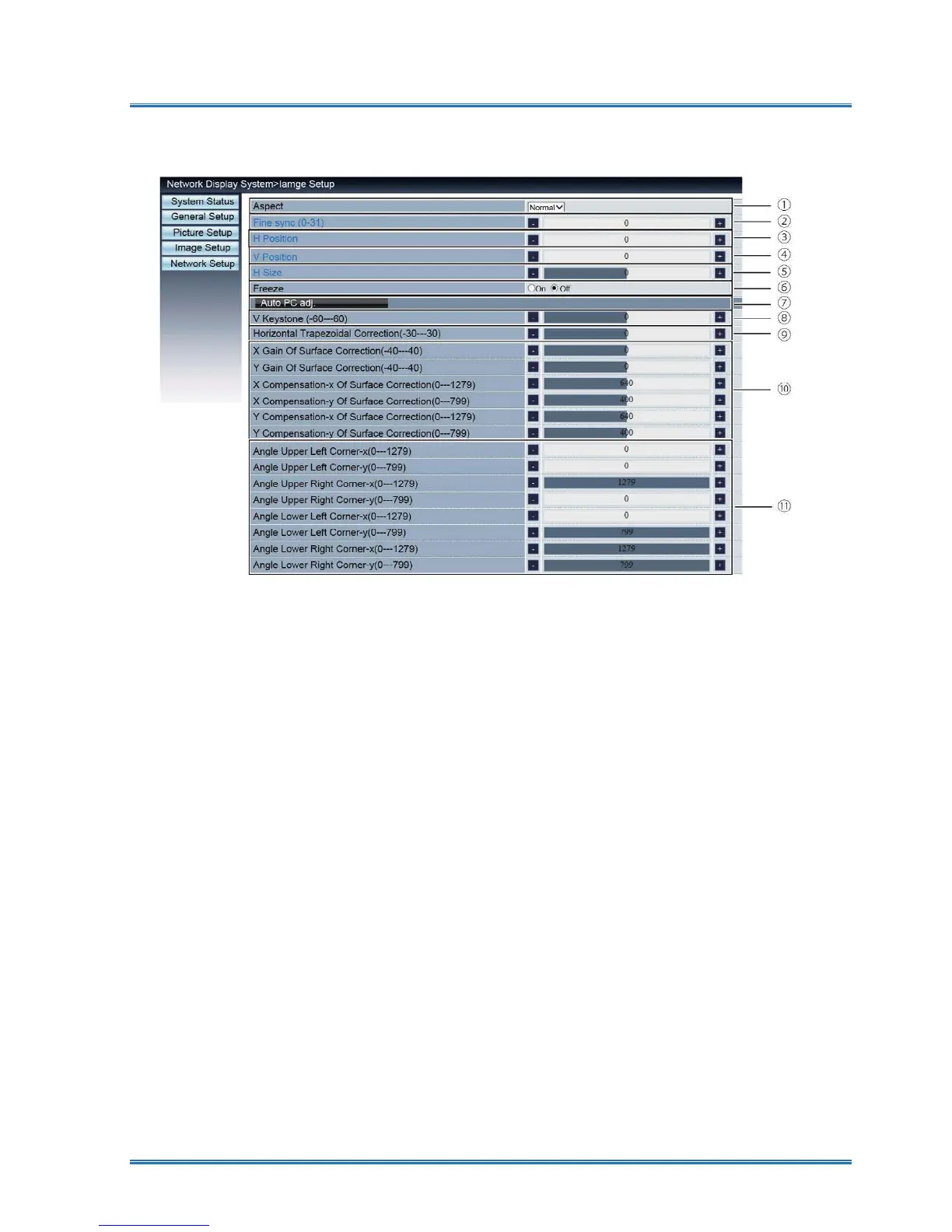
[Image Setup] page
①Aspect ratio: Switch the aspect ratio of the projected image.
② Phase: Adjust the phase of the projected image.
③Horizontal position: Adjust the horizontal position of the projected image.
④ Vertical position: Adjust the vertical position of the projected image.
⑤ Horizontal Dimension: Adjust the horizontal dimension of the projected image.
⑥
Screen Freeze: Select the function to switch the screen freeze on and off.
⑦
Automatic computer adjustment: Implement the automatic computer adjustment function.
⑧
Vertical trapezoidal correction: Correct trapezoidal distortion in vertical direction.
⑨
Horizontal trapezoidal correction: Correc horizontal distortion in horizontal direction.
⑩
Surface correction:Correct pincushion and barrel of the projected image.
⑪
Angle: Correct four angles of the projected imagehe .
Network control



 To Next Page