IG-150-EN version 04; 03/10/16
121
General instructions
ekor.rps
Other settings
6. Other settings
6.1. Programming of logic outputs
The user can congure up to 15 logic outputs, called "logic
1" to "logic 15", which can be assigned to relays, as well
as to LEDs, locking inputs, signals to be registered on the
disturbance recorder, etc. It is also possible to congure
generate internal commands be programming these logics
in the “command conguration” console screen.
The programming of the logic outputs can be only done
through the protections console, not by keyboard/display,
from the basic available signals, consigned in the Appendix
"available signals" (as many of them correspond to optional
functions, not every model will contain all of them). The
programming procedure is described in other document:
The protections console manual.
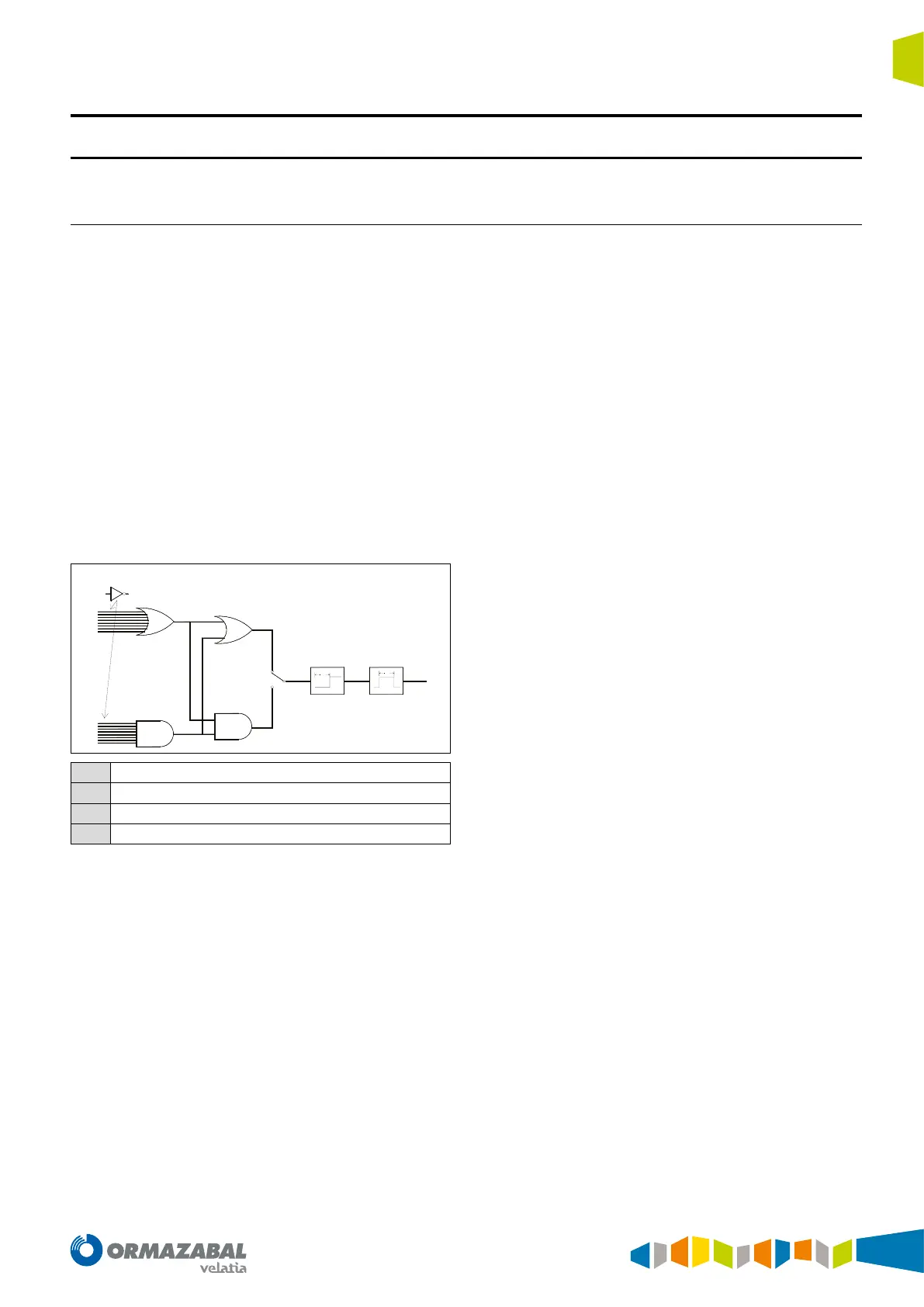
The logic signals can be generated according to the
following scheme.
OR
AND
OR
AND
T
T
NOT
(opcional)
1
23
4
1
1
Logical signals available
2
Delay
3
Duration
4
Logic output
Figure 6.1. Logical signals
As it can be observed in the denition of a logic output
intervene the following elements:
1. Up to 16 signals among the available ones (or their
negated ones), forming an OR function.
2. Up to 16 signals among the available ones (or their
negated ones), forming an AND function.
3. An OR or AND function (programmable) of two previous
function`s results.
4. A programmable time delay ("delay") to activate the
output.
5. A programmable time for the duration of the output
activation.
The delay time is the time length since there is a logic 1
at the exit of the logic ports until the corresponding logic
output is activated. If during this time the "1"dissapeared,
the output could not be activated. It can be programmed
between 0 and 599.9 s, with steps of 0.1 s.


 To Next Page