_______________________________________________________________________________________
ORVED S.P.A Rev.01 – 09/2019 – cod. 1500735-00EN – User Manual for
IDEA
vacuum packing machines
Pag. 36 a 76
10
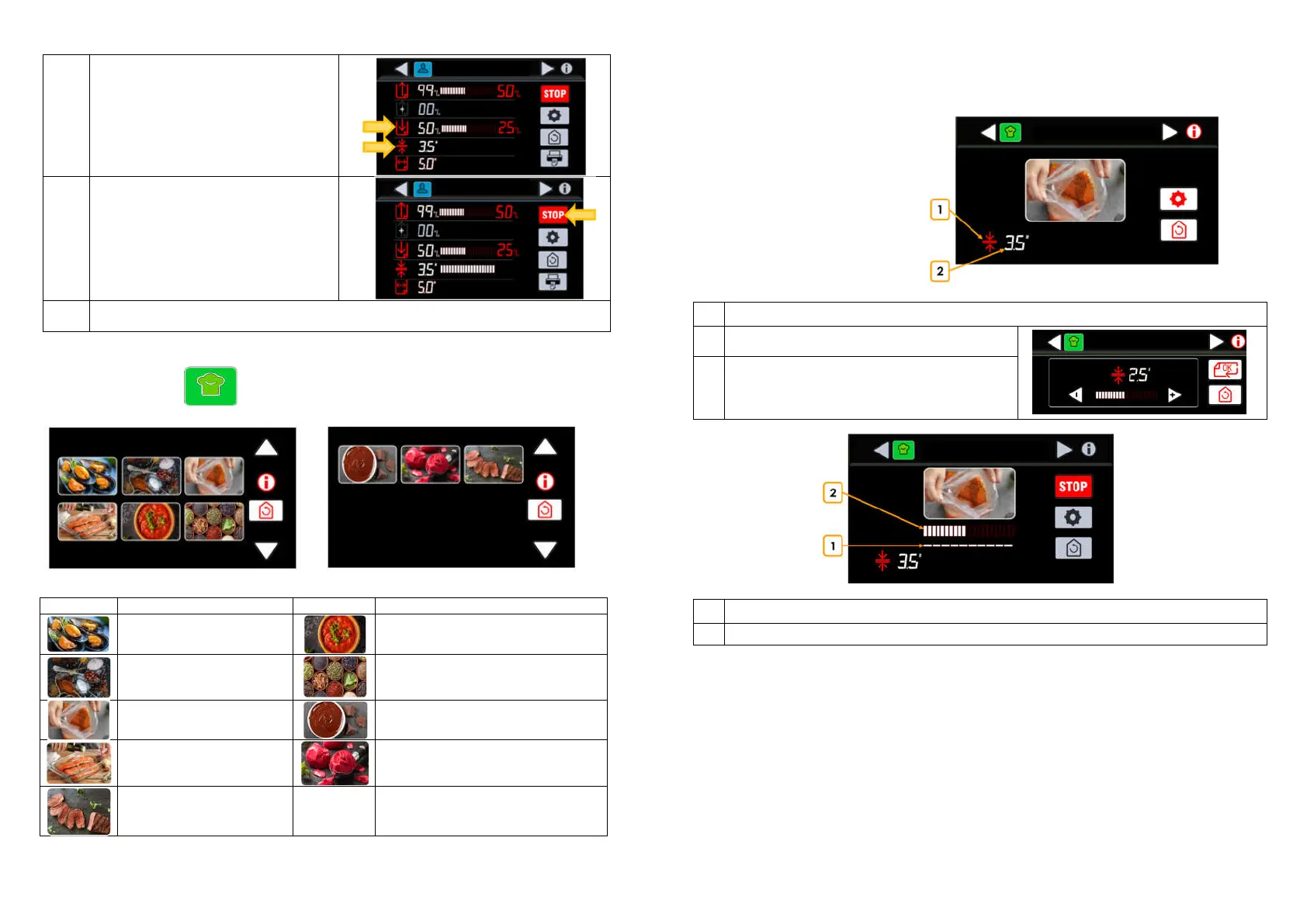
Press the correspondent button icon on the
display, to switch in advance from Vacuum
phase to GAS phase, or to anticipate the
Sealing.
To advance the GAS phase, verify that the
vacuum threshold of 90% was reached.
Otherwise, the sealing will be activated.
11
Pressing STOP button at any time, it is possible
to interrupt the vacuum cycle immediately
and the vacuum chamber is uncompressed.
The lid opens automatically.
The machine comes back to the selected
program.
12
End of cycle. The lid opens automatically.
Remove the packed products, paying attention not to touch the sealing bar, as it may be still hot
9.3 Chef cycles
Program name
Mussels cleaning
Sauces
Powders and spices
Infusions in bag
Marinade in bags
Creme and pastry bases
Marinade in containers
Ice cream bases
Meat tenderizing
PROGRAM 1
PROGRAM 1
_______________________________________________________________________________________
ORVED S.P.A Rev.01 – 09/2019 – cod. 1500735-00EN – User Manual for
IDEA
vacuum packing machines
Pag. 37 a 76
9.3.1 Parameter settings
(Example program: Marinade in bags)
N° Description
1
Enter the sealing time setting menu (if available)
2
Display the sealing time (if available)
Enter the sealing time setting menu (if available)
Anticipate the sealing phase (if available)
1
Step progress display bar
2
Phase progress display bar



 To Next Page