_______________________________________________________________________________________
ORVED S.P.A Rev.01 – 09/2019 – cod. 1500735-00EN – User Manual for
IDEA
vacuum packing machines
Pag. 64 a 76
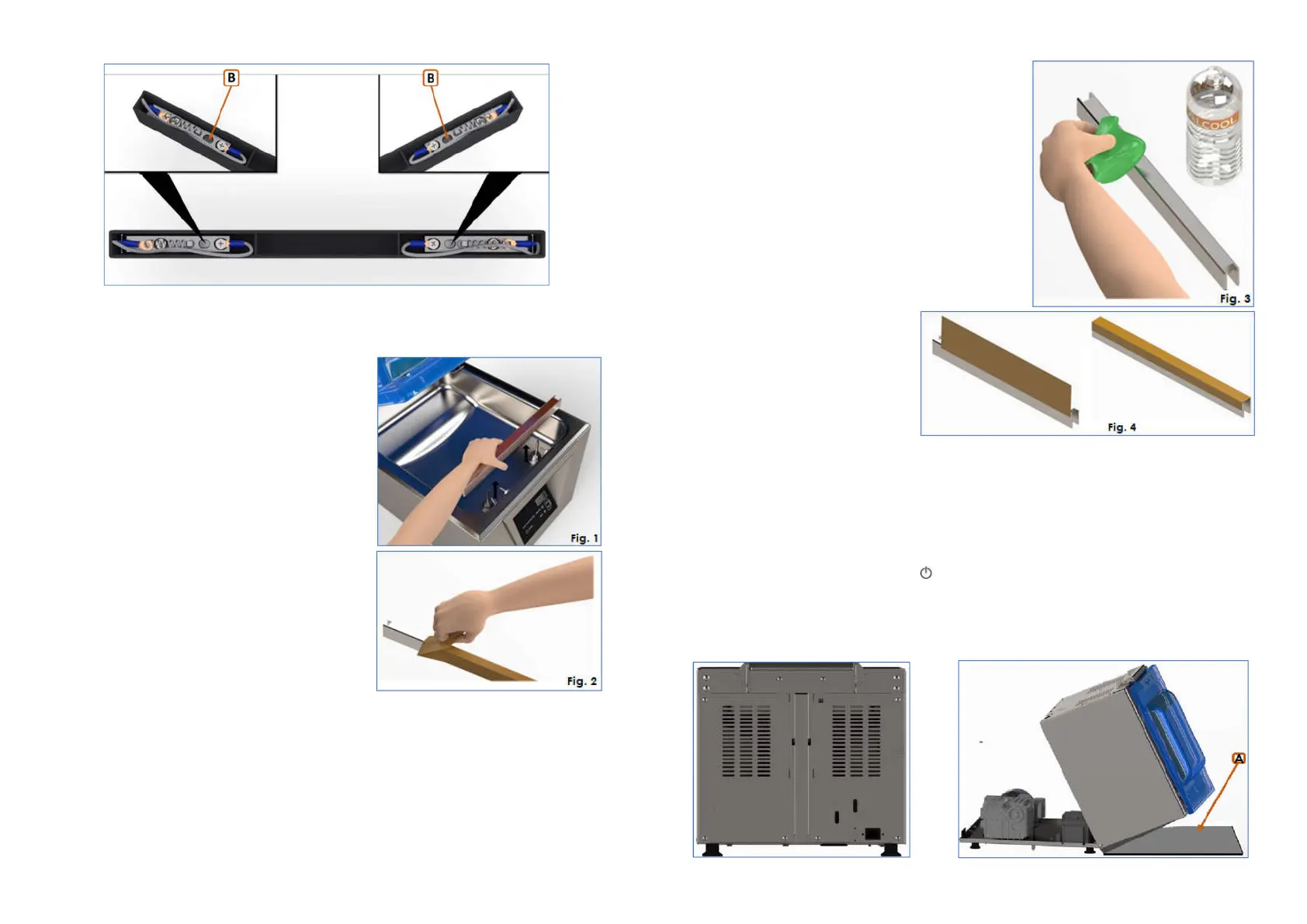
17.2 Replacement of Teflon band
Extract the sealing bar from the vacuum chamber by lifting it
horizontally from the sides (Fig. 1).
1) REmove the Teflon band (Fig. 2).
_______________________________________________________________________________________
ORVED S.P.A Rev.01 – 09/2019 – cod. 1500735-00EN – User Manual for
IDEA
vacuum packing machines
Pag. 65 a 76
2) Clean the sealing bar carefully,
using a cloth soaked in alcohol (Fig. 3).
3) Put on the new Teflon band, cutting
off any excess at the ends(Fig. 4).
4) Relocate the sealing bar in the vacuum chamber, making sure it engages correctly with the electrical
contacts.
17.3 Access to the machine internal part
1)
Switch the machine off
- IDEA 30/40 e IDEA 31/41: press per 5 secondi
- IDEA 32 HiLine/42 HiLine: press STAND-BY
2)
Remove the fillers from the vacuum chamber and lower the lid to the resting position.
3)
Unscrew the lower screws on the rear panel, using a cross-head screwdriver.
4)
Lift the machine body using both hands (rotating it 90°) and lay it on the front (on the work table), resting
it on one of the filler plates.



 To Next Page