Section 2 Installation
2 - 10
May 1992
MX-5050 Operation and Maintenance Manual
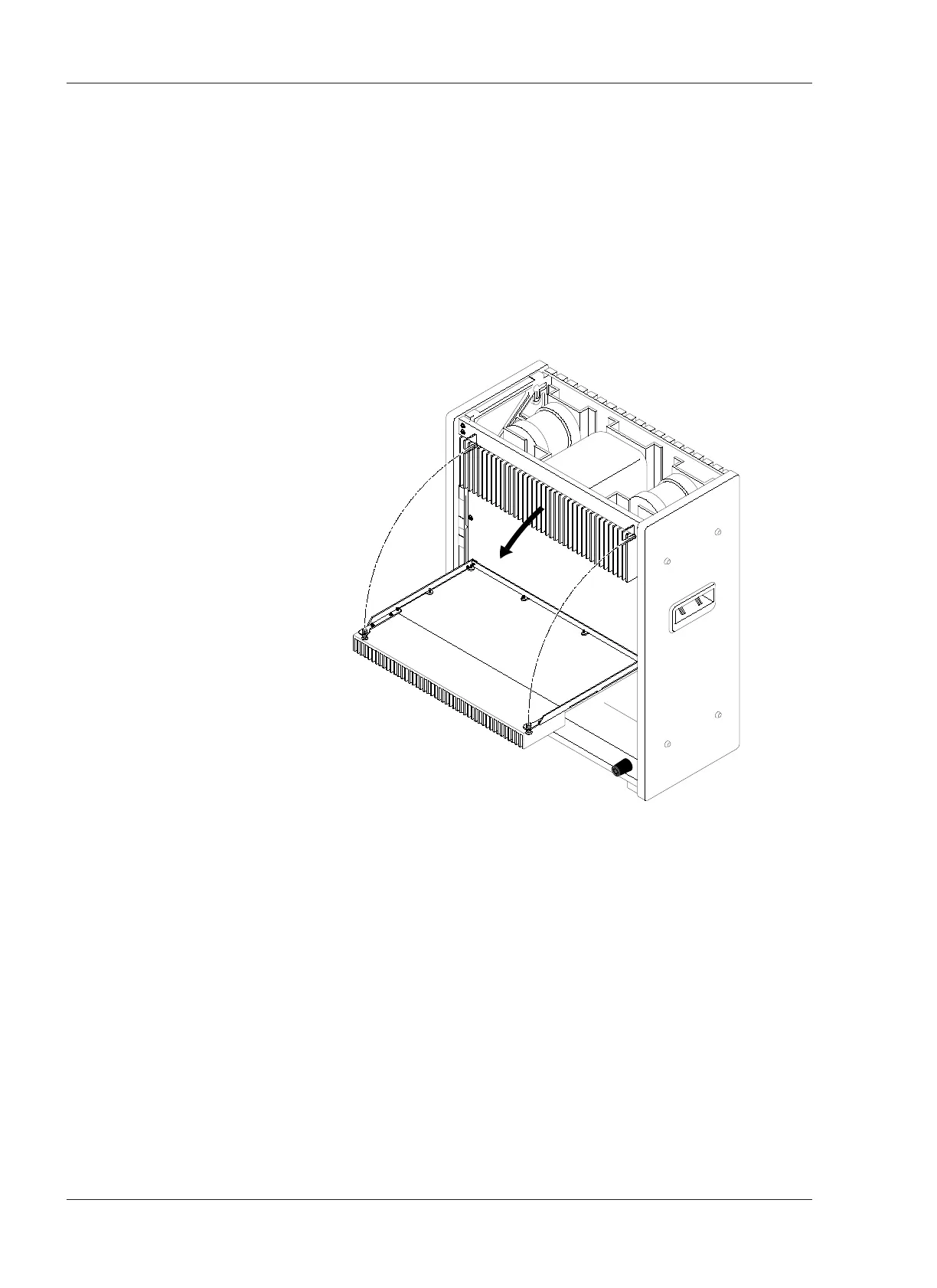
❏ CONTROL PCB Assembly Rotation
1. Turn off the machine. Place the machine in the upright position. See Figure
2-7.
2. Remove the Foot and Deck Stand from the Rear Cover.
3. Remove the Rear Cover by removing the screws holding it in place.
4. Loosen the two screws holding the Heat sink. Rotate the CONTROL PCB
Assembly on its side.
5. The Side Boards may need to be removed to access some controls on the
CONTROL PCB Assembly.
Figure 2- 7
CONTROL PCB Assembly Rotation










 To Next Page