Section 6 Transport Adjustment and Parts Replacement
6 - 6
May 1992
MX-5050 Operation and Maintenance Manual
6.5 Pinch Roller Pressure Adjustment
The pinch roller pressure against the capstan shaft is determined by the
pinch roller solenoid spring. The pinch roller solenoid spring is adjusted with
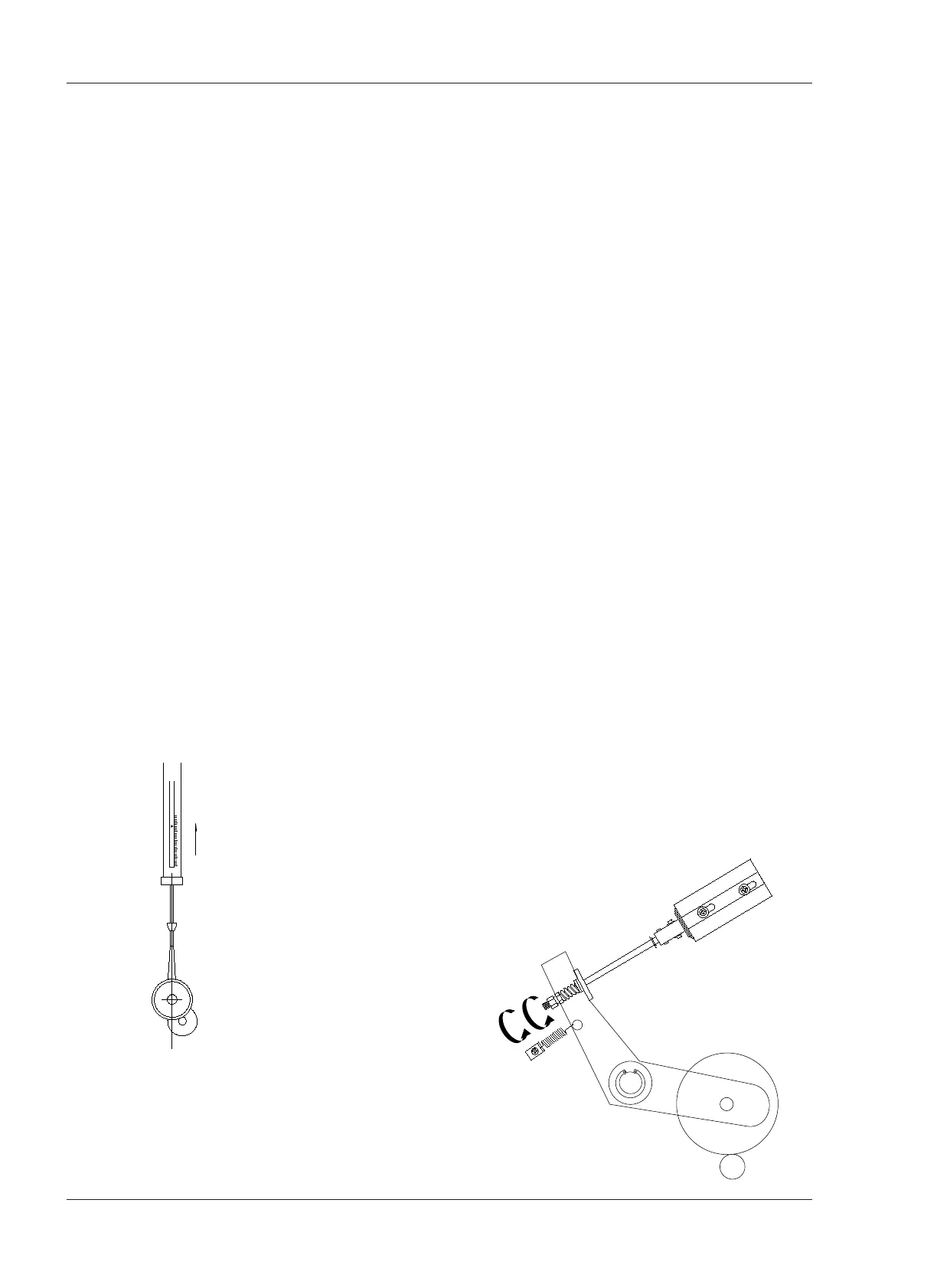
a nut as shown in Figure 6-5.
The following adjustment should be performed after the machine has been
operated in Play mode at least 30 minutes to obtain a steady solenoid force
because the solenoid force decreases as temperature rises.
❏ MX-5050BIII
1. Remove both reels from the reel tables.
2. Tie a piece of string (15 cm) together to form a continuous loop. Place one
end of the loop around the capstan pinch roller shaft.
3. Press the EDIT button and then press the PLAY button. The pinch roller will
move to make contact with the capstan shaft and both will rotate.
4. Hook a spring scale (3kg) to the other end of the loop.
5. Pull on the scale straight from the center of the capstan shaft as shown in
Figure 6-5. Note the scale reading when the pinch roller loses contact with
the capstan (the pinch roller stops rotating). The scale reading should be 2.5
~ 2.7 kg (5.5 ~ 5.9 pounds).
6. If a proper scale reading was not obtained in step 5, loosen the locknut and
adjust the nut as shown in Figure 6-6. Turning the nut toward the spring
increases pinch roller pressure. Tighten the locknut.
7. After the adjustment has been completed, check that the plunger of the
solenoid reaches the bottom of the the solenoid coil (pinch roller can easily
be pushed away from the capstan shaft). If the plunger of the solenoid does
not reach the bottom, loosen the locknut and turn the pressure nut away
from the spring until the plunger just reaches the bottom. Check the pressure
adjustment again and tighten the locknut.










 To Next Page