DIS-4
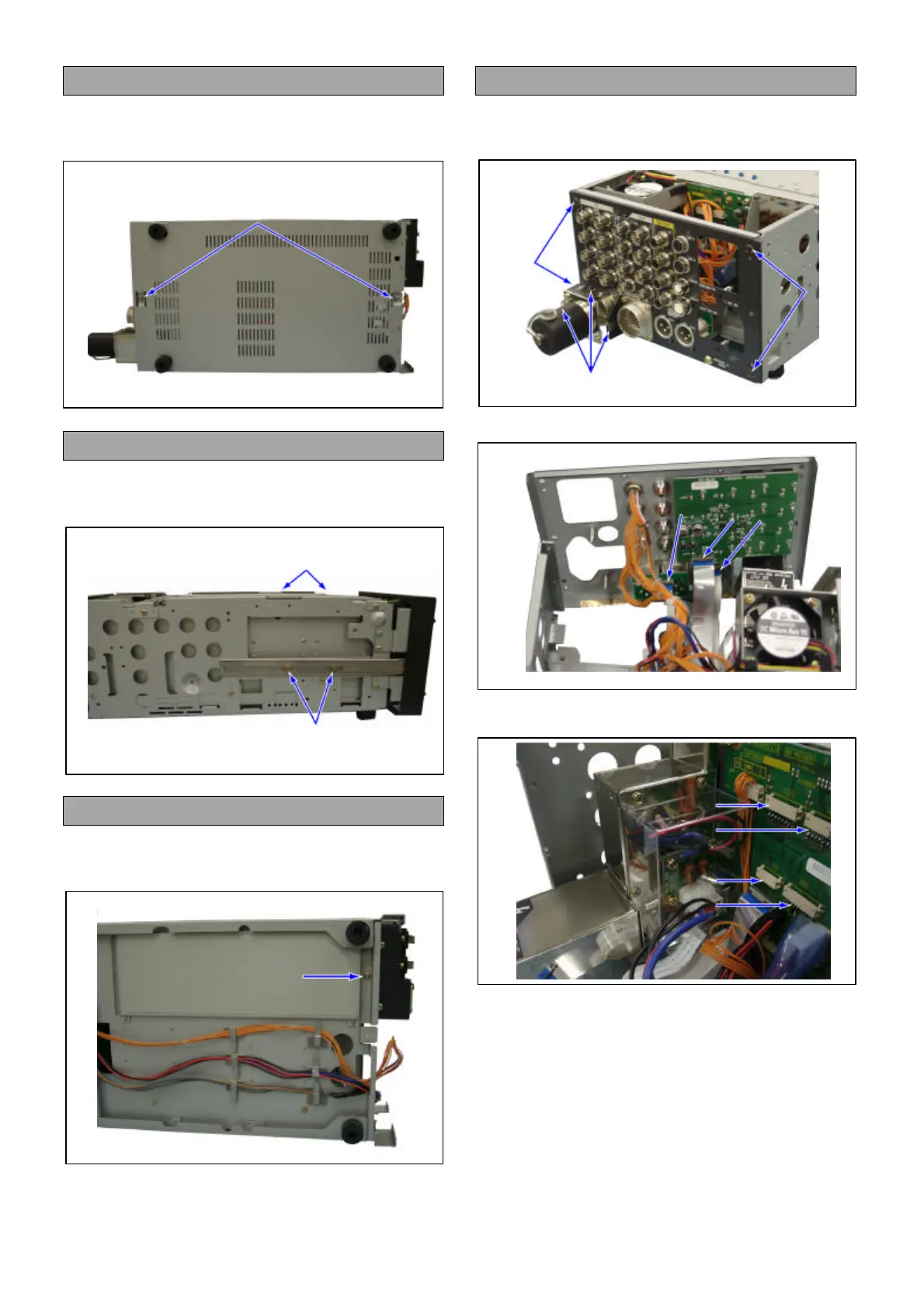
6. Removal of the Bottom Panel
1. Unscrew the 2 screws (G), and remove the Bottom
Panel.
7. Removal of the Front Panel
1. Unscrew the 4 screws (H), and remove the Front
Panel.
8. Removal of the Power Supply Unit
1. Unscrew the screw (I), and remove the Power
Supply Unit.
9. Removal of the Rear Panel
1. Unscrew the 4 screws (J).
2. Unscrew the 3 screws (K).
3. Disconnect the connector (J101,102,103).
4. Disconnect the connector (P8,13,15,16), and
remove the Rear Panel.
(G)
(H)
(H)
(I)
(J)
(J)
(K)
(J101)
(J102)
(J103)
(P15)
(P13)
(P8)
(P16)



 To Next Page