Electrical Adjustment for AJ-BS900HP & CA900HP
ELE-4
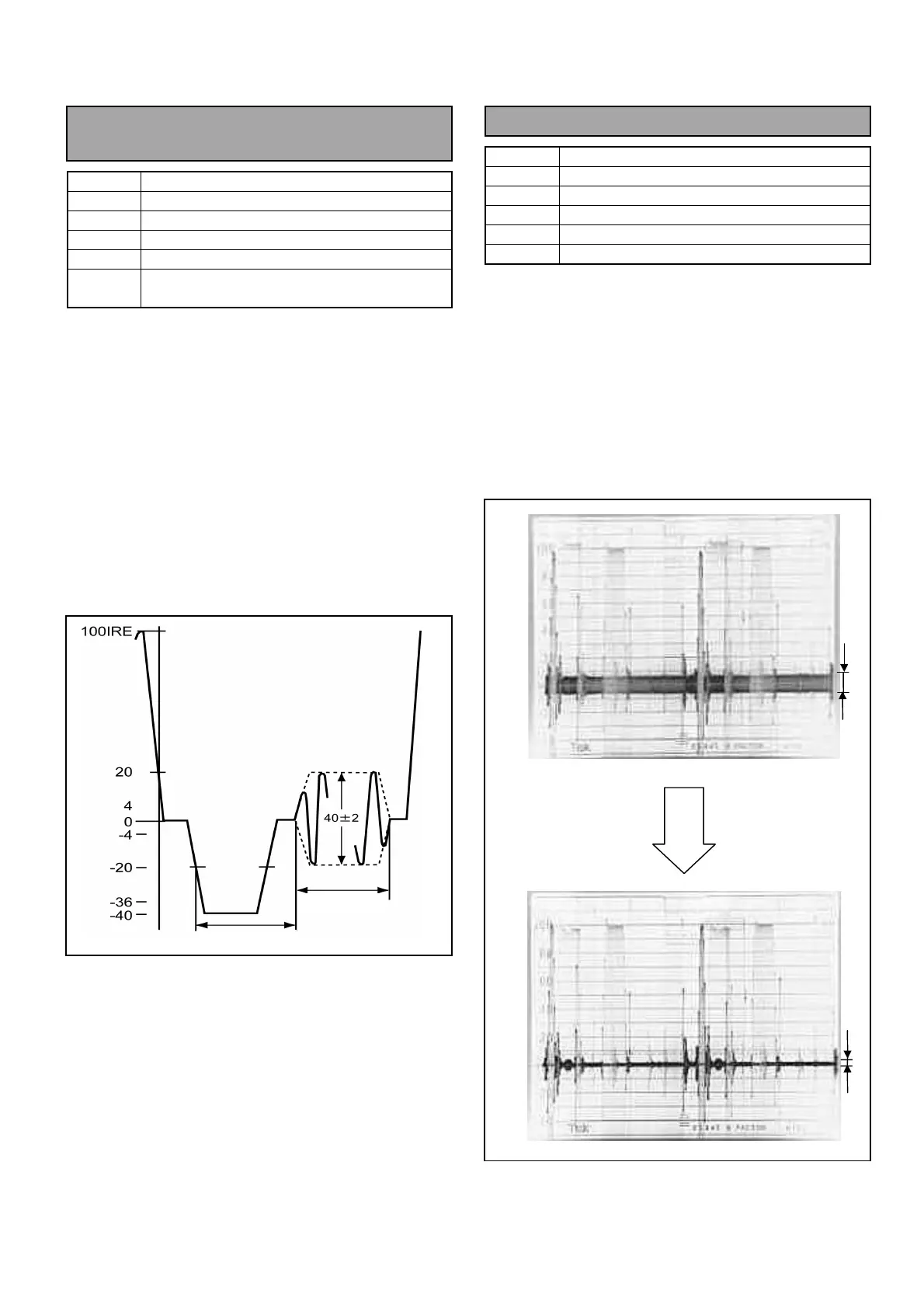
4-2. Color Burst Phase, Width
Adjustment
BOARD
BS AUDIO
TP
ENC1 OUT
ADJ.
VR13 [BF PHASE], VR14 [BF WIDTH]
INPUT
AJ-BS900H Internal Color bar signal
M. EQ
Oscilloscope
SPEC.
A = 5.3
µ
S +/- 0.1
µ
S
B = 9 Cycle
1. Set output signal mode on the AJ-BS900H to
Internal Color bar mode. (Press “BARS” button on
the AJ-BS900H.)
2. Connect Oscilloscope to ENC1 OUT connector
and then adjust VR13 so that the Burst signal
phase A is within the specification.
3. Connect Oscilloscope to ENC1 OUT connector
and then adjust VR14 so that the Burst signal
width B is within the specification.
4-3. Carrier Balance Adjustment
BOARD
BS DIGITAL
TP
ENC1 OUT
ADJ.
VR19 [R-Y BLK BAL], VR22 [B-Y BLK BAL]
INPUT
AJ-BS900H Internal Color bar signal
M. EQ
WFM (With 75
Ω
termination, 5x mode)
SPEC.
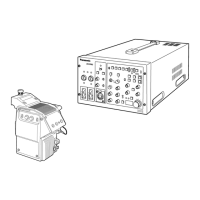
A=Carrier component level: minimum.
1. Set WFM as shown below.
GAIN : 5x
FILTER : CHROMA mode
2. Connect WFM to ENC1 OUT connector and then
adjust VR19 and VR22 so that the signal carrier
level (A) is within the specification.
A
B
A
A



 To Next Page