Electrical Adjustment for AJ-BS900HEN & CA900HEN
ELE-14
6-4. SC Balance Adjustment
BOARD
BS DIGITAL
TP
TP3
ADJ.
VR23 [SC-BAL1], VR24 [SC-BAL2]
INPUT
AJ-BS900H Internal Color bar signal : ON
M. EQ
Oscilloscope (with 75
Ω
termination)
SPEC.
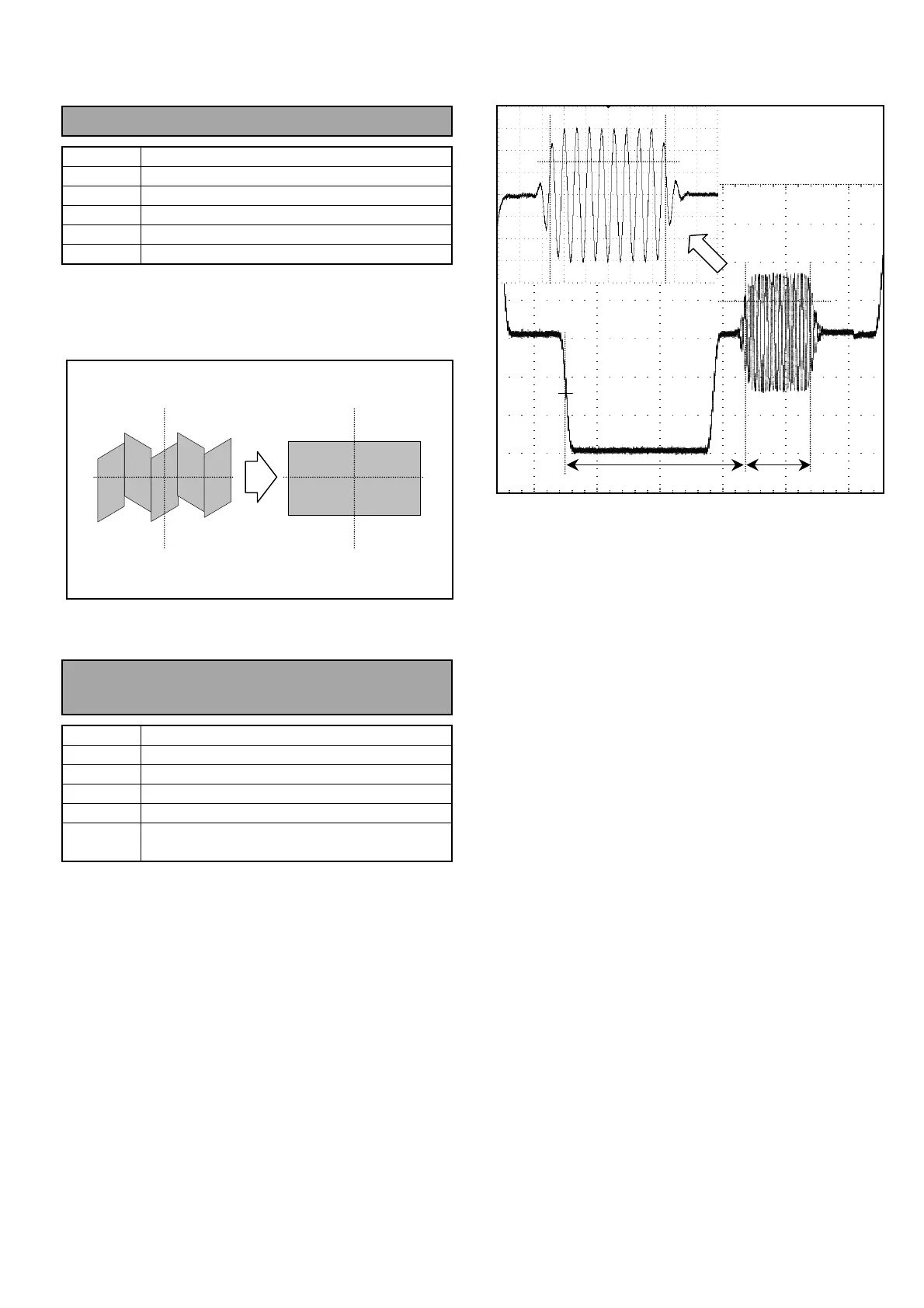
As shown below
1. Connect Oscilloscope to TP3 and then adjust
VR23 and VR24 so that the signal waveform
(envelope) becomes flat.
6-5. Color Burst Phase, Width
Adjustment
BOARD
BS AUDIO
TP
ENC1 OUT
ADJ.
VR13 [BF PHASE], VR14 [BF WIDTH]
INPUT
AJ-BS900H Internal Color bar signal : ON
M. EQ
Oscilloscope (with 75
Ω
termination)
SPEC.
A = 5.6
µ
S +/-0.1
µ
S
B = 2.25
µ
S +/- 0.23
µ
S
1. Set output signal mode on the AJ-BS900H to
Internal Color bar mode. (Press “BARS” button on
the AJ-BS900H.)
2. Connect Oscilloscope to ENC1 OUT and then
adjust VR13 so that the phase of color burst signal
A is within the specification.
3. Connect Oscilloscope to ENC1 OUT connector
and then adjust VR14 so that the Burst signal
width B is within the specification.
50%
AB
50%
50%



 To Next Page