14
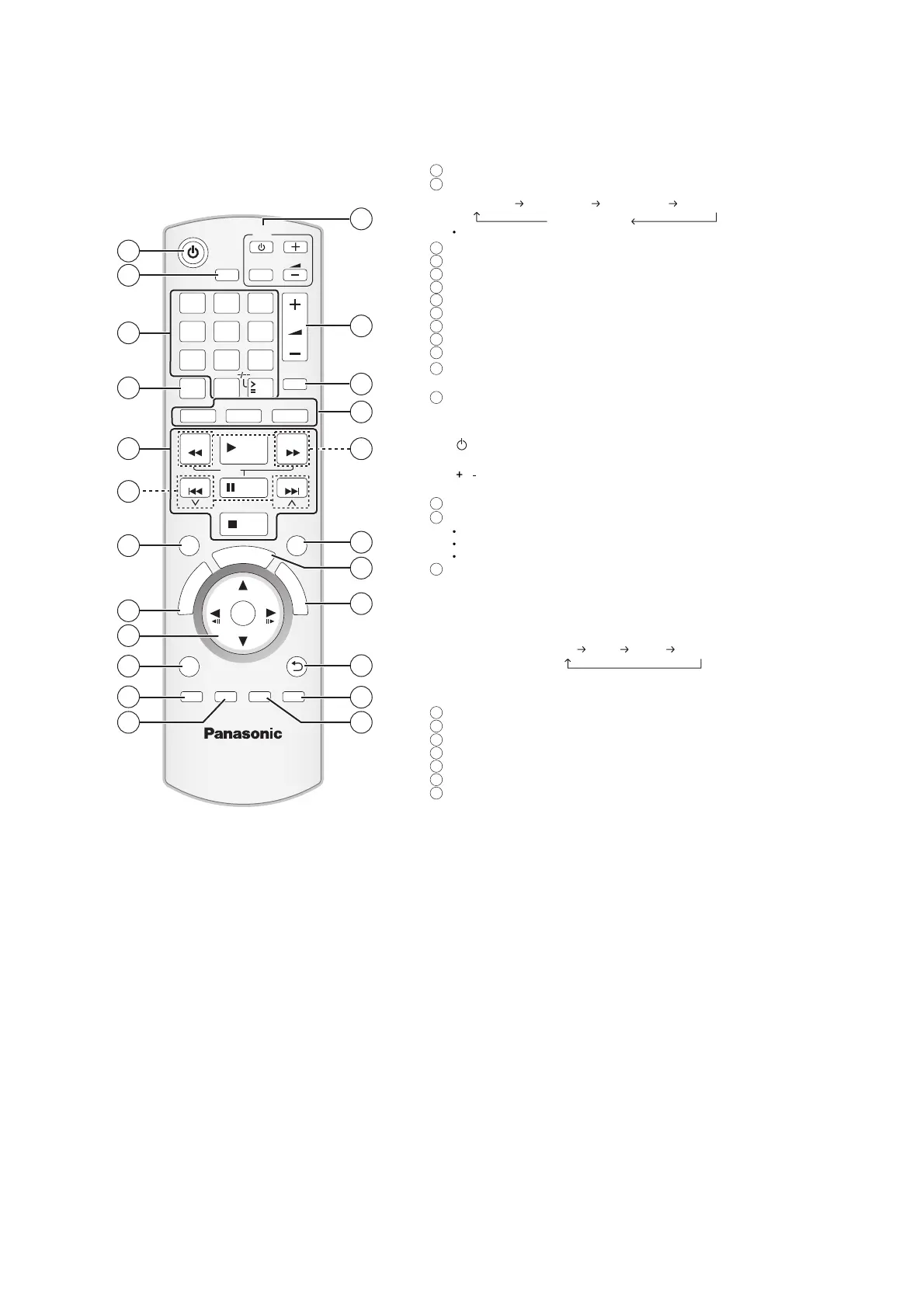
5 Location of Controls and Components
5.1. Remote Control Key Button Operations
Select channels and title numbers etc. / Enter numbers
Select the play mode / Set the repeat mode
Basic operations for play
Select preset radio stations
Select surround sound effects
Show a disc top menu or program list
Select or confirm menu items / Frame-by-frame
Show a disc menu or play list
Show setup menu or select speaker channel
Adjust the Microphone volume/ Turn Whisper-mode
Surround on/off
TV operations
Aim the remote control at the Panasonic TV and press the
button.
[ ]: Turn the TV on/off
[AV]: Change the TV s video input mode
[
, ]: Adjust the TV volume
This may not work properly with some models.
Adjust the volume of the main unit
Mute the sound
MUTE flashes on the main unit s display while the function is on.
To cancel, press the button again or adjust the volume.
Muting is cancelled when you switch the unit to standby.
Source select
[DVD]: Select disc as the source
[USB]: Select USB as the source
[RADIO], [EXT-IN]: Select FM tuner or external audio as the
source
FM AUX
*
D-IN
*
MUSIC P.
*
(TV) will appear beside AUX or D-IN , indicating the TV audio
setting for VIERA Link HDAVI Control
Select radio stations manually
Select sound mode
Show START menu
Show on-screen menu
Return to previous screen
Cancel
Adjust the echo level / Switch information on the main unit s
display
Turn the main unit on/off
Set the Sleep timer
Press [SLEEP].
SLEEP 30 SLEEP 60 SLEEP 90 SLEEP120
OFF (Cancel)
To confirm the remaining time, press the button again.
RETURN
VOL
STOP
1 2 3
4 5 6
7 8
0
9
SLEEP
VOL
TV
AV
SEARCH
SKIP
SLOW
SKIP
PLAY
PAUSE
SEARCH
OK
DVD
USB
EXT-IN
MUTE
RADIO
F
U
N
C
T
I
O
N
S
S
T
A
R
T
T
O
P
M
E
N
U
10
SOUND
SURROUND
D
I
R
E
C
T
N
A
V
I
G
A
T
O
R
PLAY
LIST
MENU
-
FL DISPLAY
-
CH SELECT
SETUP
-
W.SRD
ECHO
CANCEL
PLAY
MODE
-
REPEAT
MIC VOL
7
8
10
11
12
18
9
20
21
23
13
15
19
1
4
5
17
2
22
14
16
3
6
1
2
3
4
5
6
7
8
9
10
11
12
13
14
15
16
17
18
19
20
21
22
23













 To Next Page