EasyManua.ls Logo

Panasonic SA-PT170PH - Speaker Connection Guide

Panasonic SA-PT170PH
139 pages
Print Icon
To Next Page IconTo Next Page
To Previous Page IconTo Previous Page
Loading...
20
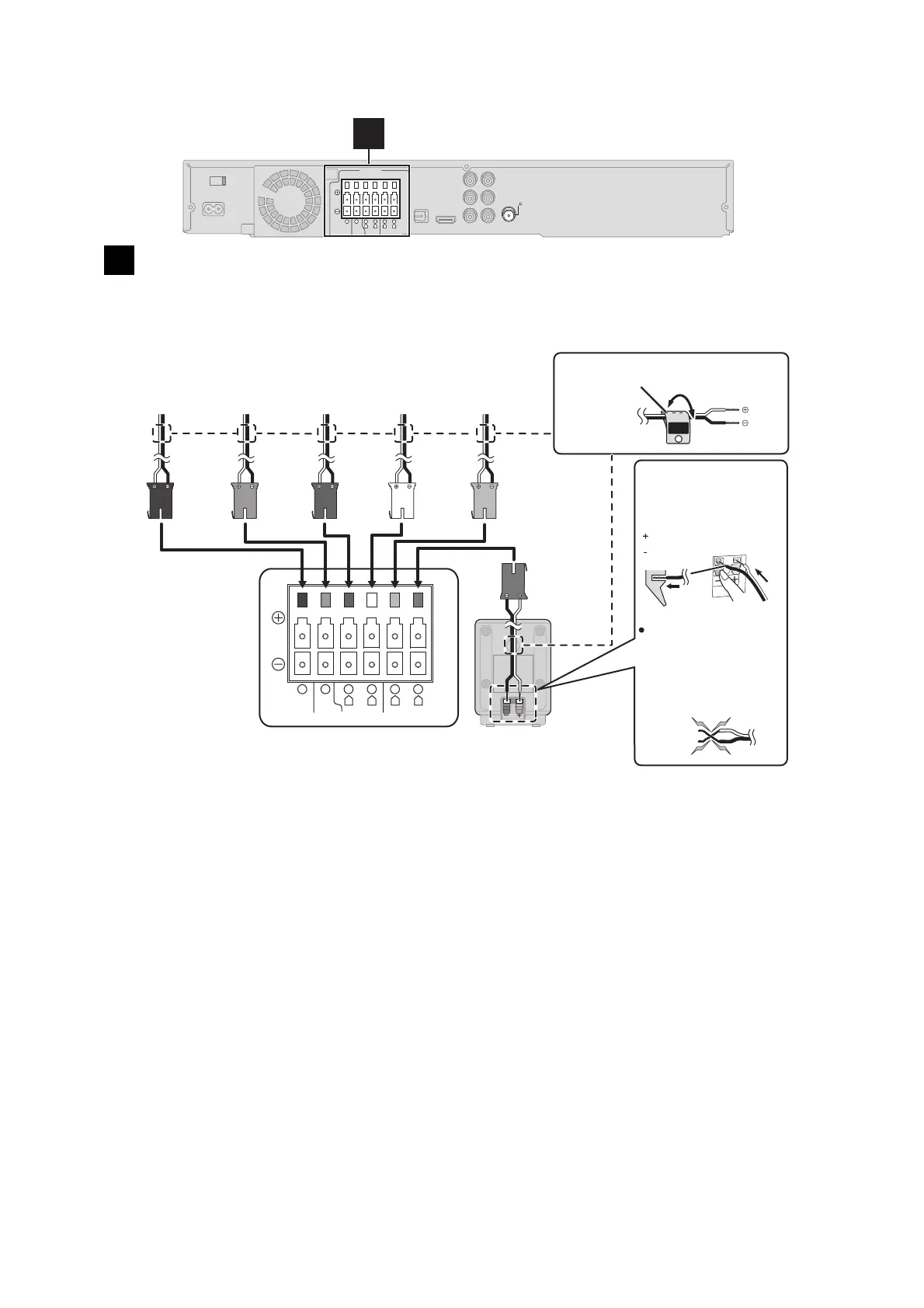
5.6. Speaker Connection
Setup example
Pay attention to the type of speaker and the connector colour when you place the speakers.
Connect to the terminals of the same colour.
Use of the speaker cable stickers is convenient when making cable connections.
1
Speaker connections
CENTERSUBWOOFER FRONT
6 5 2 1 4 3
L
R
L
R
SURROUND
Lch
SURROUND
3
WHITE
FRONT
(L)
GREY
SURROUND
(R)
RED
FRONT
(R)
GREEN
CENTER
PURPLE
SUBWOOFER
Insert the wire fully,
taking care not to
insert beyond the
wire insulation.
: White
: Blue
DO
NOT
Main unit
BLUE
SURROUND
(L)
Be careful not to
cross (short circuit)
or reverse the polarity
of the speaker wires
as doing so may
damage the speakers.
Push!
e.g. Surround speaker (L)
Speaker cable sticker (included)
Main unit
CENTERSUBWOOFER FRONT
6 5 2 1 4 3
L
R
L
R
SURROUND
FM ANT
(75 )
1
SPEAKERS

Table of Contents

Related product manuals