27
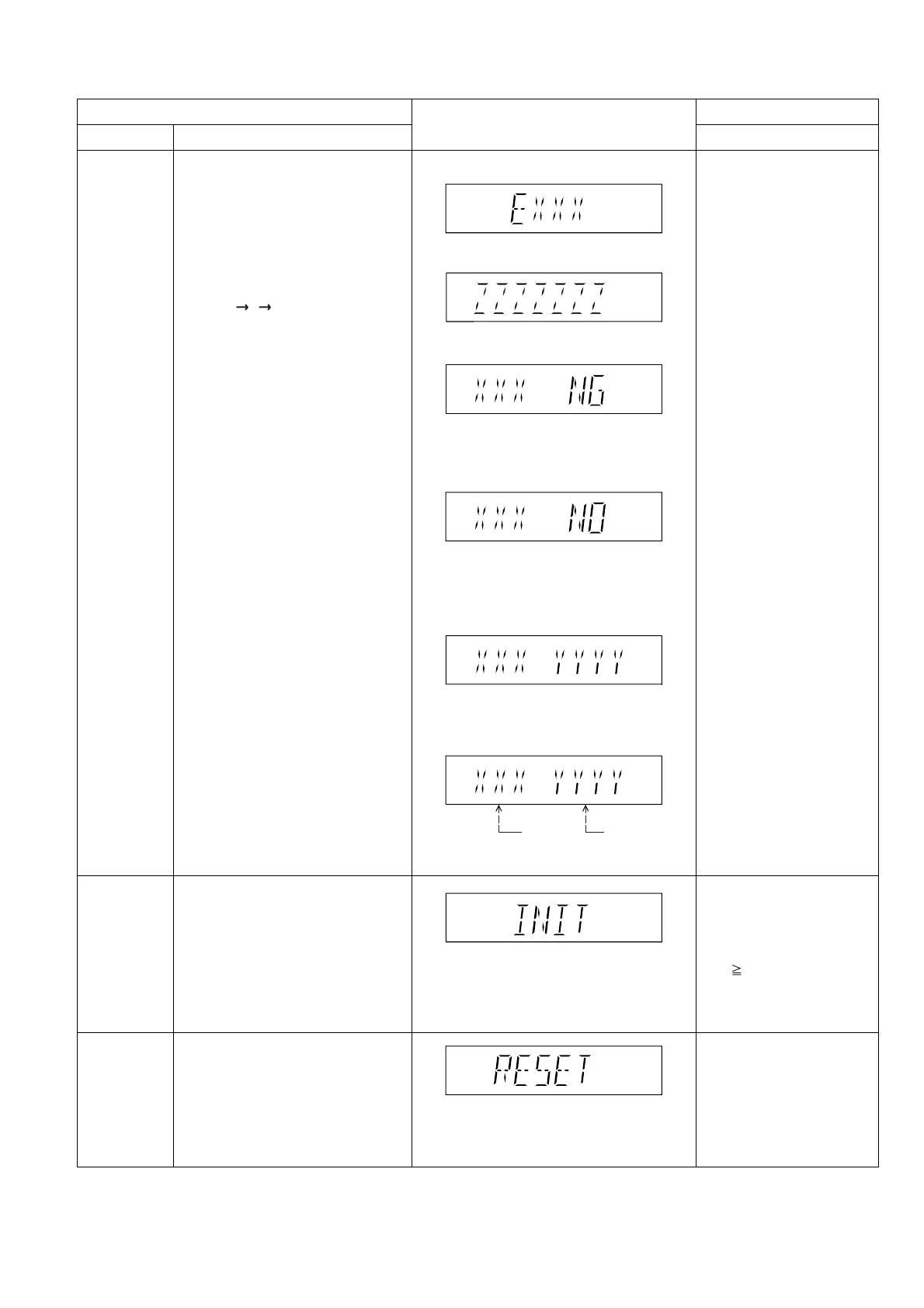
6.2.3. Service Mode Table 3
FL Display
Key Operation
Front Key
Item
DescriptionModel Name
Initialization
Micro-processor
firmware version
display &
EEPROM
checksum
display.
DVD
Module P.C.B.
Reset
Initialization.
User settings are cancelled and player
is initialized to factory setting.
It is necessary when after replacement
of Micro-processor (DV5 LSI) IC,
FLASH ROM IC (IC8651), EEPROM
IC (IC8611) & DVD Module P.C.B.
Micro-processor firmware version
display & EEPROM checksum display.
EEPROM checksum is only available
due to existence of EEPROM IC.
Note: Condition 1/2/3 shows the state
of EEPROM IC.
FL Display sequence:
Display 1 2 3.
To reset DVD Module P.C.B.
This process is used when the DVD
Module P.C.B. or FLASH ROM
IC is replaced with a new one.
Cancelled automatically
3 seconds later.
In STOP (no disc)
mode, press [STOP]
button on the main unit,
and [ 10] button on the
remote control unit.
Press ’RETURN’ button on
remote control.
Cancelled automatically
5 seconds later.
In STOP (no disc)
mode, press [STOP]
button on the main unit,
and [7] button on the
remote control unit.
Press [FL Display] button on
remote control unit for next
page. (FL Display)
While in initialization
mode, press & hold
[STOP] button on the main
unit, follow by [OK] button
on the remote control unit.
Cancelled automatically
5 seconds later.
If the version of the EEPROM does not match,
[NG] is displayed.
(Condition 1)
(a) If there is NO EEPROM header string
OR
(b) If there is no EEPROM (no data is received
by Micro-processor), [NO] is displayed.
(Condition 2)
Opecon
Version
EEPROM
Checksum
(If applicable,
refer below.)
(Display 3)
(Display 1)
(Condition 3)
If the EEPROM version matches, checksum
[YYYY] is displayed.
(Display 2)













 To Next Page