32
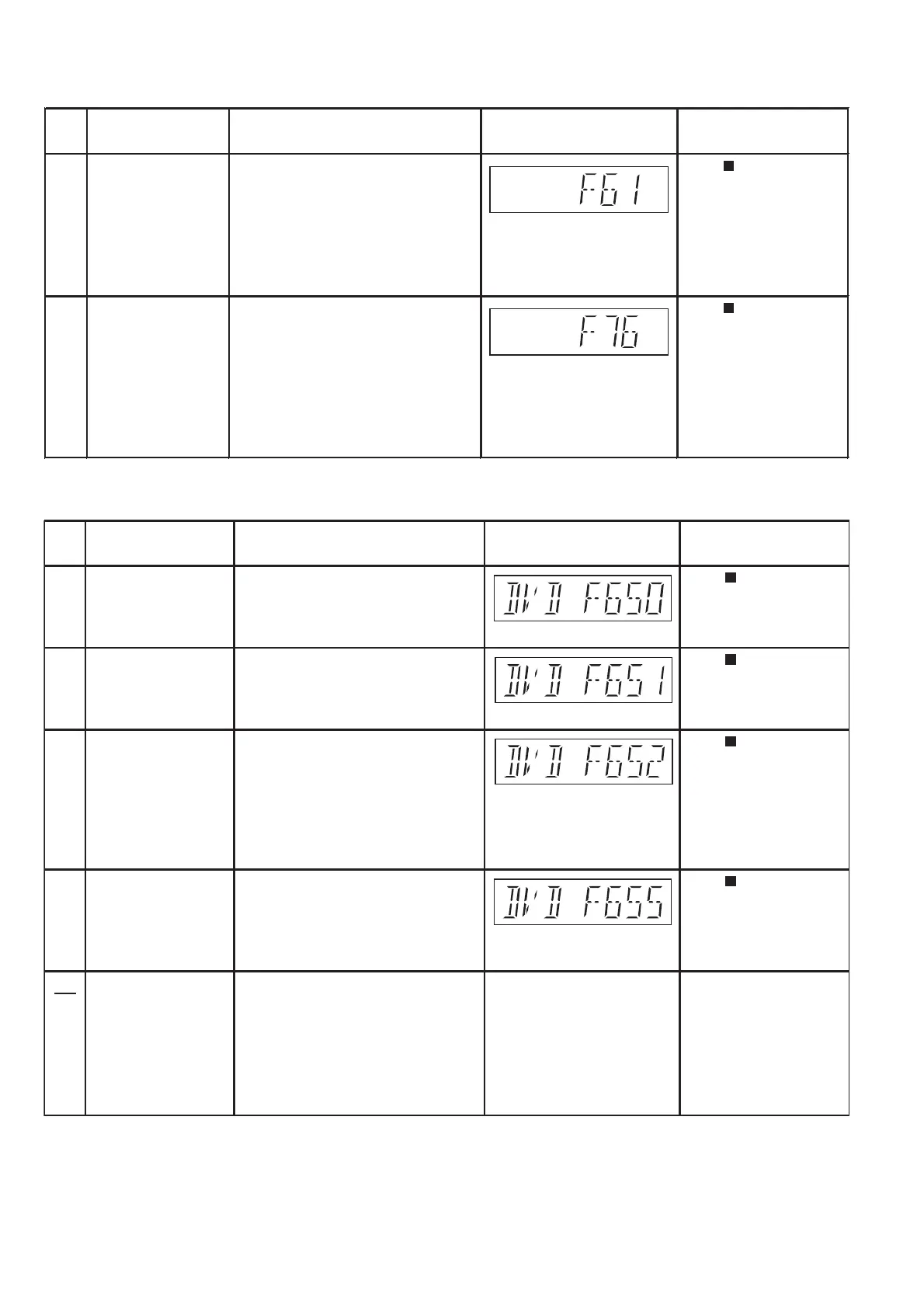
6.3.3. Power Supply & Digital Amplifier Error Code Table
6.3.4. USB Error Code Table
Error
Code
F61 The abnormalities In normal operation, when DCDET2 goes Press [ STOP] on main
in an output or power to "L" (Low) (Not during POWER OFF unit for next error.
supply circuit of condition), F61 appears on FLDisplay
SMPS P.C.B. for 1 second and PCONT goes to
"L" (Low).This is due to speaker output
has DC voltage or fan is not working.
F76 Abnormality in the In normal operation when DCDET1 is Press [ STOP] on main
output voltage of detected "L" (Low) for two consecutive unit for next error.
stabilized power times, F76 is displayed on FL for
supply 1 second and after that PCONT will be
turned to "L" (Low). This is due to any of
the DC voltages (+9V, +7V, -7V, +5V,
+5.3V etc.) not available.
Diagnosis Contents Description of error Automatic FL Display Remarks
Error
Code
F650 USB device: Devices Devices other than the mass storage Press [ STOP] on main
other than mass class are connected. unit for next error.
storage
F651 USB device: Non-Full The device that the transfer rate did not Press [ STOP] on main
Speed Device correspond to Full Speed was unit for next error.
connected.
F652 USB device: The device in the interface (subclass) Press [ STOP] on main
Interface NG outside correspondence was connected. unit for next error.
(correspondence interface)
001b: Reduced Block Commands (RBC)
010b: SFF-8020i. MMC-2 (ATAPI)
110b: SCSI transparent command set.
F655 USB device: The overcurrent of 500mA or more was Press [ STOP] on main
USB is drawing too
much power.
When the USB system detects a USB
device that is taking too much current,
it will display an "Over current Error" OSD/
Screen. At this state the USB backend/
system will not be usable temporarily, the
corresponding "U**" error code will be send
to Opecon, and "USB Overcurrent Error"
displayed on the FL.
USB OVERCURRENT ERROR
(scrolling)
Switch to DVD/CD mode,
remove USB and turn off
the unit.
Overcurrent detection detected in VDD USB, and the USB unit for next error.
device driver function was intercepted.
(To intercept the current.)
Description of error Automatic FL Display Remarks













 To Next Page