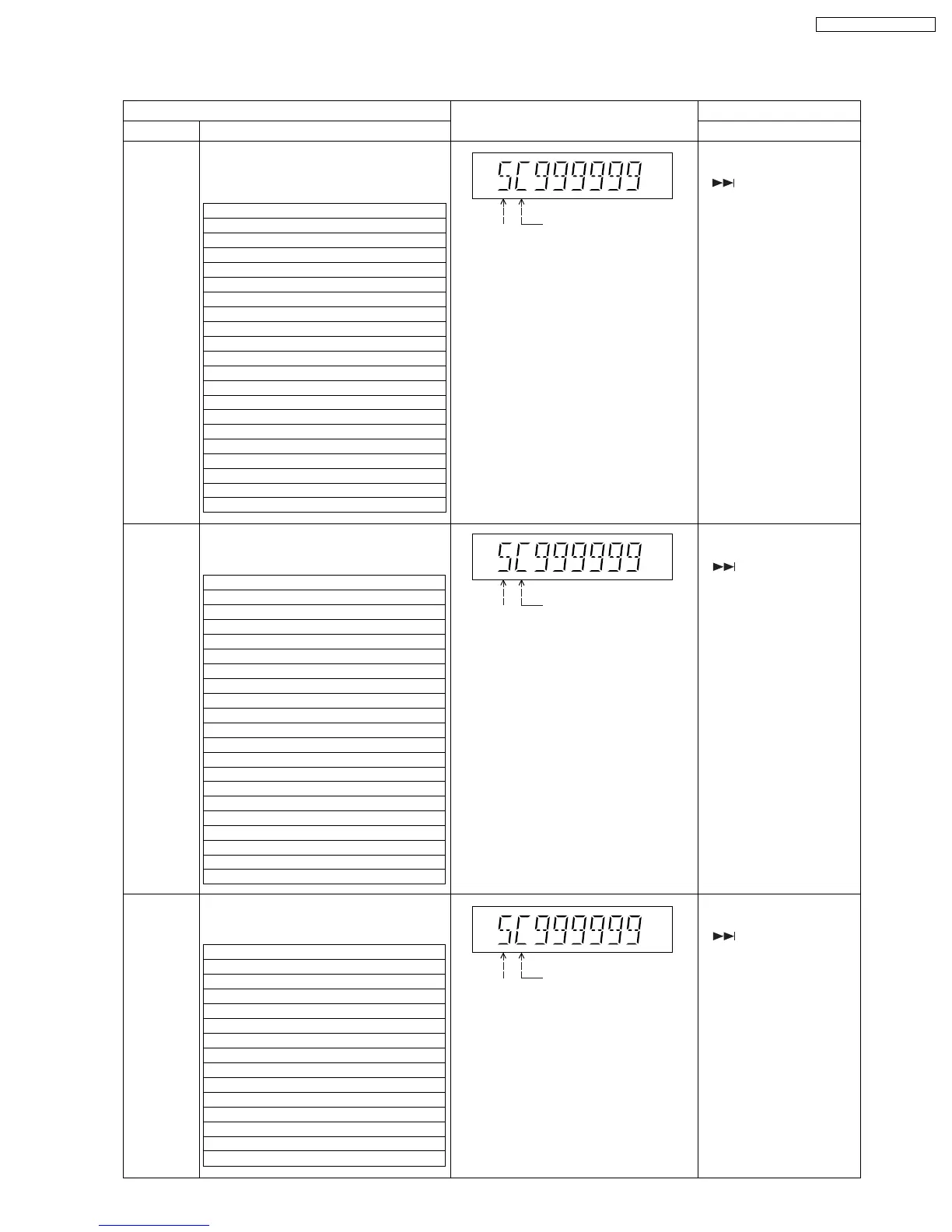
9.2.7. Reliability Test Mode (RC1 Mechanism)
9.2.7.1. Test Mode List
FL Display
Key Operation
Front Key
Item
Description
Mode Name
Combination
reliability
The number of times of a test is displayed
on the FL Display of main unit with the
number of 10.
The maximum display: 999999
A counter will be reset if secondary power
-off is carried out.
Tray rotation
reliability
OPEN/
CLOSE
reliability
It is a PLAY position about DISC1. - >
Tray OPEN(DISC3,4) ->
Tray CLOSE ->
DISC2 TOCRead ->
DOWN ->
Tray OPEN(DISC4,5) ->
Tray CLOSE ->
DISC3 TocRead ->
DOWN ->
Tray OPEN(DISC5,1) ->
Tray CLOSE ->
DISC4 TocRead ->
DOWN ->
Tray OPEN(DISC1,2) ->
Tray CLOSE ->
DISC5 TocRead ->
DOWN ->
Tray OPEN(DISC2,3) ->
Tray CLOSE ->
DISC1 TocRead ->
DOWN ->From the beginning
DISC1, Play Position ->
DISC1 TocRead ->
DOWN ->
DISC2, Play Position ->
DISC2 TocRead ->
DOWN ->
DISC3, Play Position ->
DISC3 TocRead ->
DOWN ->
DISC4, Play Position ->
DISC4 TocRead ->
DOWN ->
DISC5, Play Position ->
DISC5 TocRead ->
DOWN -> From the beginning
The operation of the RC1 mechanism is
carried out for the tray open/close, tray
rotation, and the TOC.
Below is the flow sequence:-
The operation of the RC1 mechanism is
carried out for the tray open/close.
Below is the flow sequence:-
Tray Turn (The opposite direction 2 section)->
It is a PLAY position about DISC1. - >
Tray OPEN(DISC1,5) ->
Tray CLOSE ->
DISC1 TocRead ->
Tray OPEN ->
Tray CLOSE ->
DOWN ->
DISC4 TocRead ->
DOWN ->
Tray Turn (The right direction 1 section) ->
DISC5 TocRead ->
DOWN ->
Tray Turn (The right direction 2 section) ->
DISC2 TocRead ->
DOWN ->
Tray Turn (The right direction 1 section) ->
DISC3 TocRead ->
DOWN ->
Tray Turn (The opposite direction 2 section)->
DISC1 -> From the beginning
The operation of the RC1 mechanism is
carried out for the tray rotation & the TOC.
Below is the flow sequence:-
In STOP mode, press &
hold [STOP] button with
[ ] button on the main
unit, followed by [1] button
on the remote control unit.
To exit, press [POWER]
button on the main unit or
remote control unit.
Current
Disc
Position
C: CLOSE
O:OPEN
[blank]: TOC
The number of times of a test is displayed
on the FL Display of main unit with the
number of 10.
The maximum display: 999999
A counter will be reset if secondary power
-off is carried out.
Current
Disc
Position
C: CLOSE
O:OPEN
[blank]: TOC
The number of times of a test is displayed
on the FL Display of main unit with the
number of 10.
The maximum display: 999999
A counter will be reset if secondary power
-off is carried out.
Current
Disc
Position
C: CLOSE
O:OPEN
[blank]: TOC
In STOP mode, press &
hold [STOP] button with
[ ] button on the main
unit, followed by [2] button
on the remote control unit.
To exit, press [POWER]
button on the main unit or
remote control unit.
In STOP mode, press &
hold [STOP] button with
[ ] button on the main
unit, followed by [3] button
on the remote control unit.
To exit, press [POWER]
button on the main unit or
remote control unit.
41
SA-PT750P / SA-PT750PC













 To Next Page