PCAN-Ethernet Gateway FD DR – User Manual
23
In addition, there are the LEDs 1 to 3, which are also used when
restoring the device.
4.2 Reboot and Restore
The PCAN-Ethernet Gateway FD DR can be rebooted or restored
using the reset button.
The reset button is located behind a small hole on the front of the
device and can be pressed with a paper clip, for example. If the
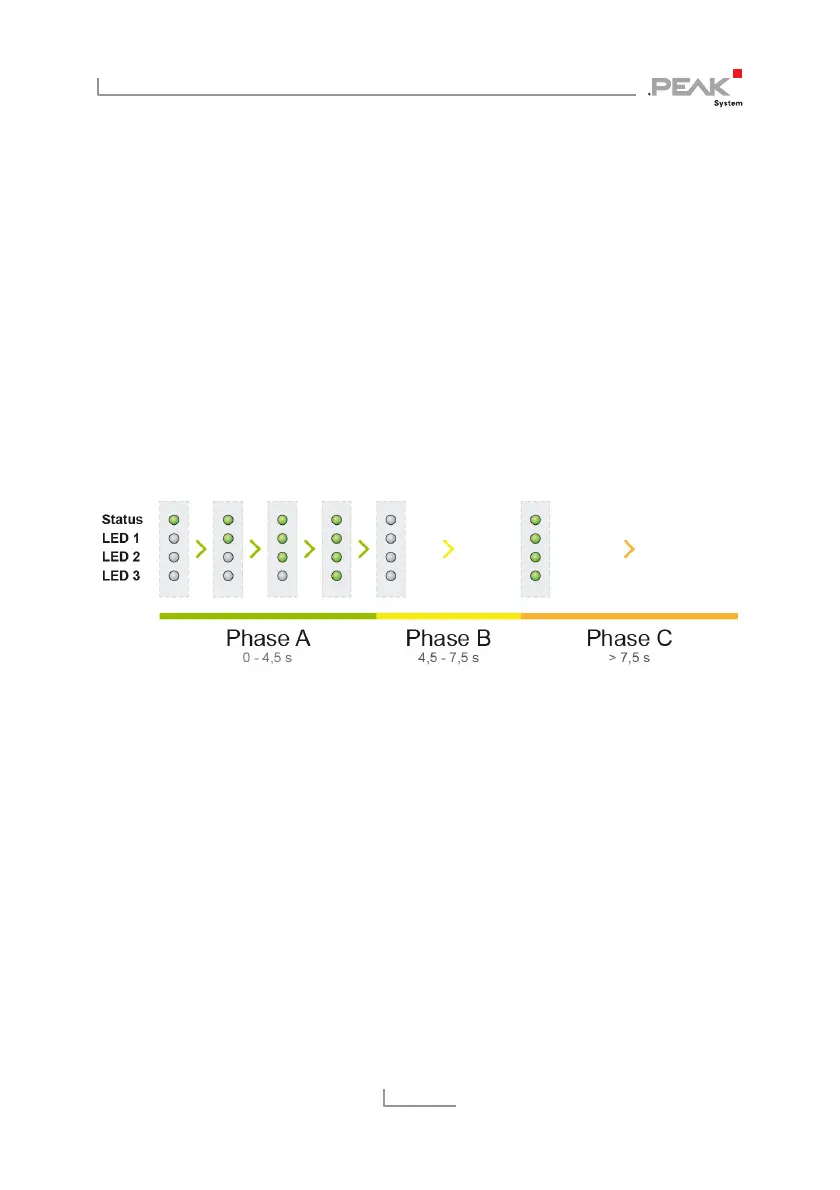
button is kept pressed, the status LED and LEDs 1 to 3 show a
blinking sequence.
Depending on the phase or time in which the reset button is
released, different functions are triggered.
Phase A: Reboot
Press the reset button for a short time and the device reboots with
the current configuration.
Phase B: Restoring the Active Partition
The PCAN-Ethernet Gateway FD DR uses two partitions for storing
the software. One of these partitions is active and is started when
the device is put into operation.



 To Next Page