PCAN-Ethernet Gateway FD DR – User Manual
22
4 Operation
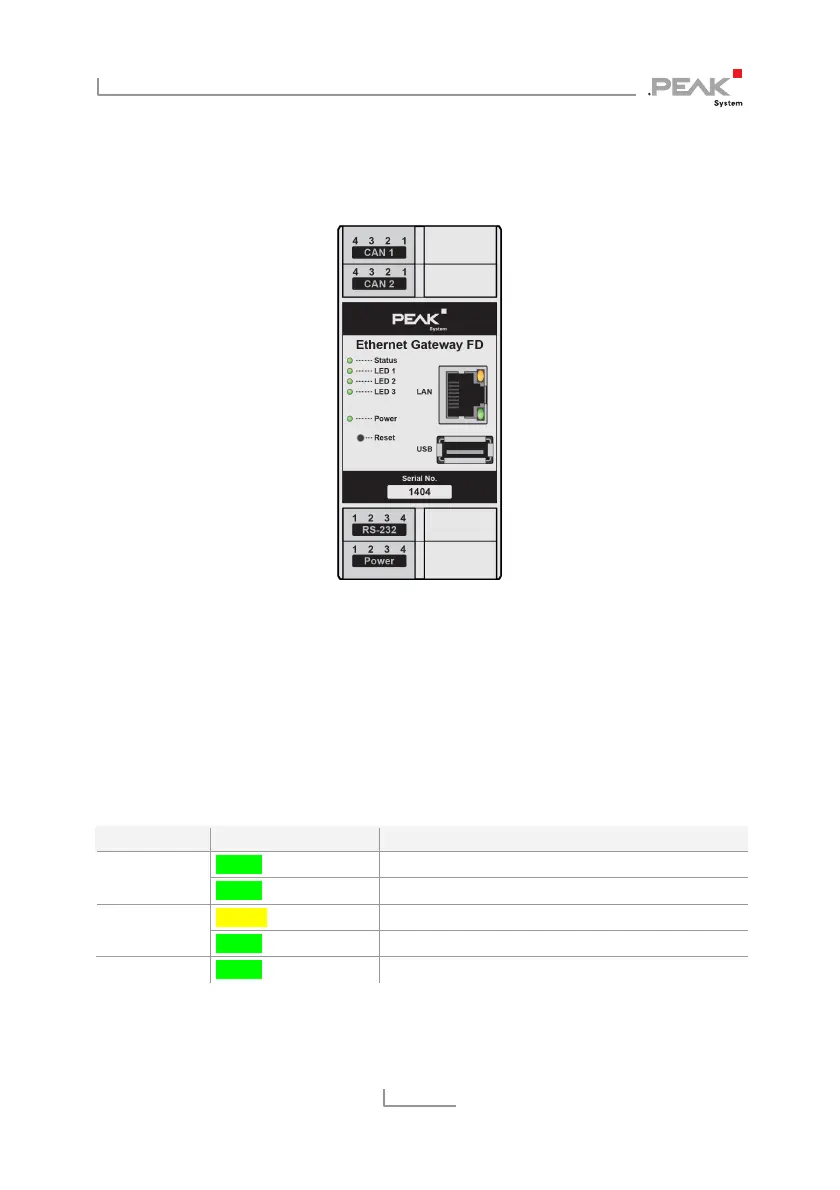
Figure 14: Front side with LEDs and Reset button
4.1 Status LEDs
The PCAN-Ethernet Gateway FD DR has LEDs for device status and
power supply as well as two LAN LEDs, which indicate the following
conditions:
LED Condition Meaning
Green on System start Status
Green blinking Ready for operation
Yellow on Data is transmitting LAN
Green on Connection is established
Power Green on Power supply is applied



 To Next Page