PCAN-Ethernet Gateway FD DR – User Manual
67
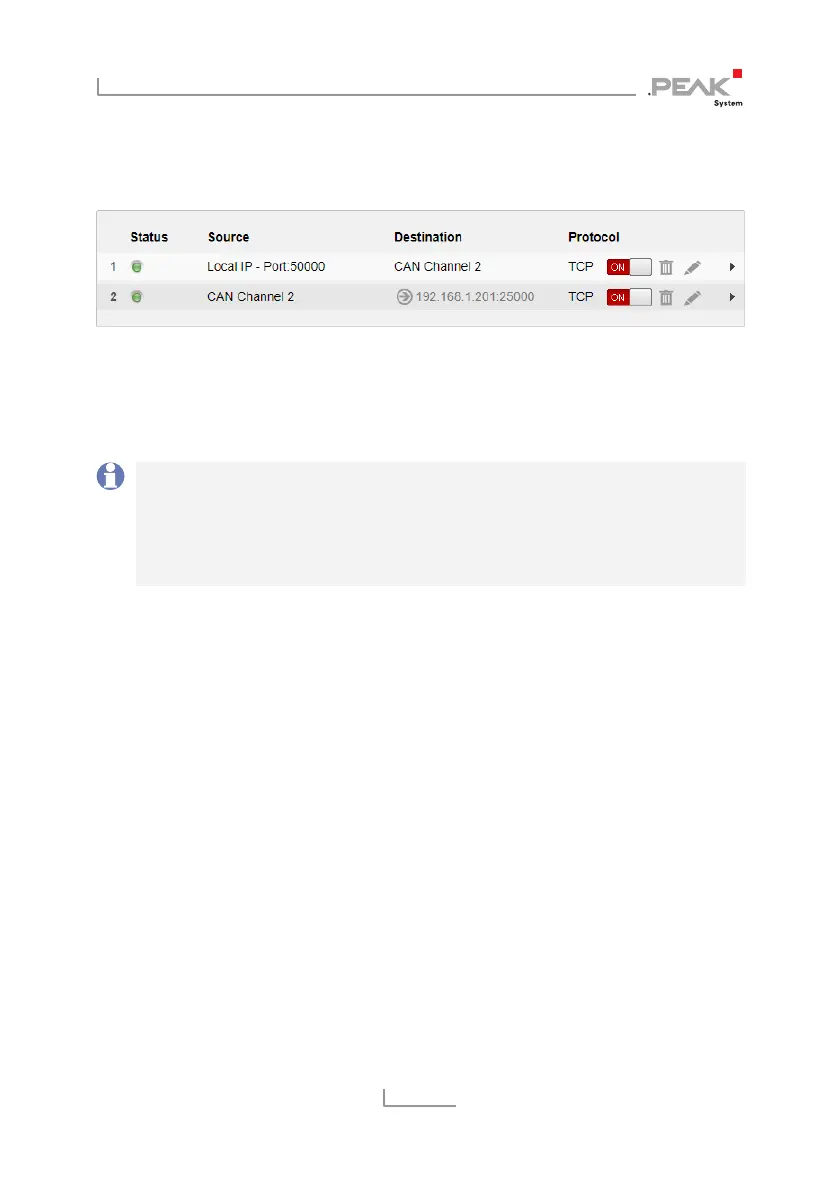
After saving, the routes on Gateway 2 will be displayed on the
Routing > Manage Routes
page as follows.
A short time after all routes have been created and activated, the
bidirectional connection will establish. You can interrupt the
connection by deactivating or erasing one of the routes on the
Routing > Manages Routes
page.
Note: The putting into operation of a PCAN-Ethernet Gateway
FD DR is described in detail in chapter 3
Putting into Operation
.
Detailed information concerning the creation of routes, as well
as input and selection options, can be found in chapter 5.3.2
Add /
Edit Route
.
6.3 Filtering Single CAN IDs
The outgoing CAN messages of a Send route can be filtered. Filters
of the type Range cover a range of at least two CAN IDs. If a single
message with a specific CAN ID is to be filtered, a Mask filter is
used.
In this example a Send route has already been set up on the PCAN-
Gateway. This Send route is to be configured with two filters that
only allow messages with the 11-bit IDs 0x100 and 0x200 to pass.
Creating the Filters
Open the page
Filters > Add Filter
and create the filter for ID 0x100
with the following settings.



 To Next Page