PCAN-Ethernet Gateway FD DR – User Manual
64
A short time after both routes have been created and activated, the
connection will establish. You can interrupt the connection by
deactivating or erasing one of the routes on the
Routing > Manages
Routes
page.
Note: The putting into operation of a PCAN-Ethernet Gateway
FD DR is described in detail in chapter 3
Putting into Operation
.
Detailed information concerning the creation of routes, as well
as input and selection options, can be found in chapter 5.3.2
Add / Edit Route
.
6.2 Bidirectional Data Transmission
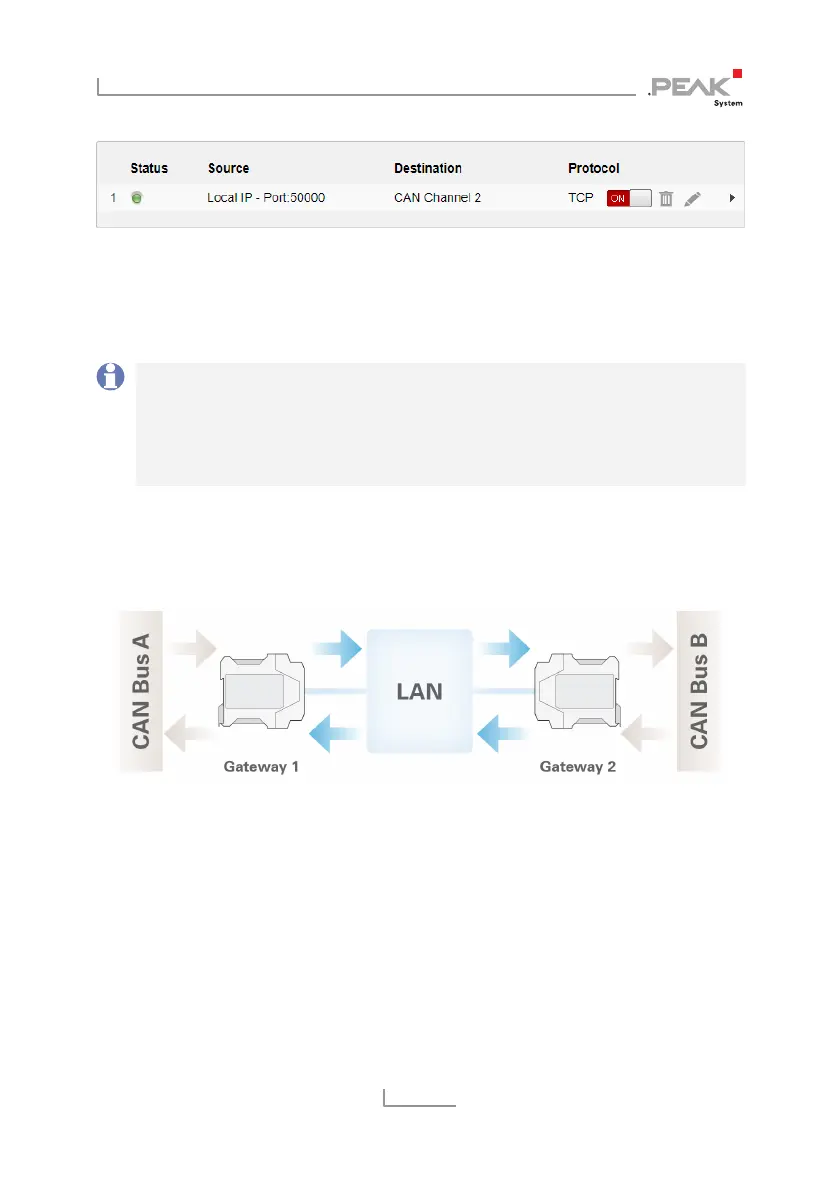
For bidirectional data transmission the message traffic occurring
between CAN buses A and B is to be forwarded via the LAN
network. For this two PCAN-Ethernet Gateways DR are needed,
where for each one, a Send and Receive route must be created.
In this example Gateway 1’s IP address is 192.168.1.201 and it is
connected via CAN channel 1 to CAN bus A. Gateway 2’s IP address
is 192.168.1.202 and it is connected via CAN channel 2 to
CAN bus B.



 To Next Page