117
Settings
6
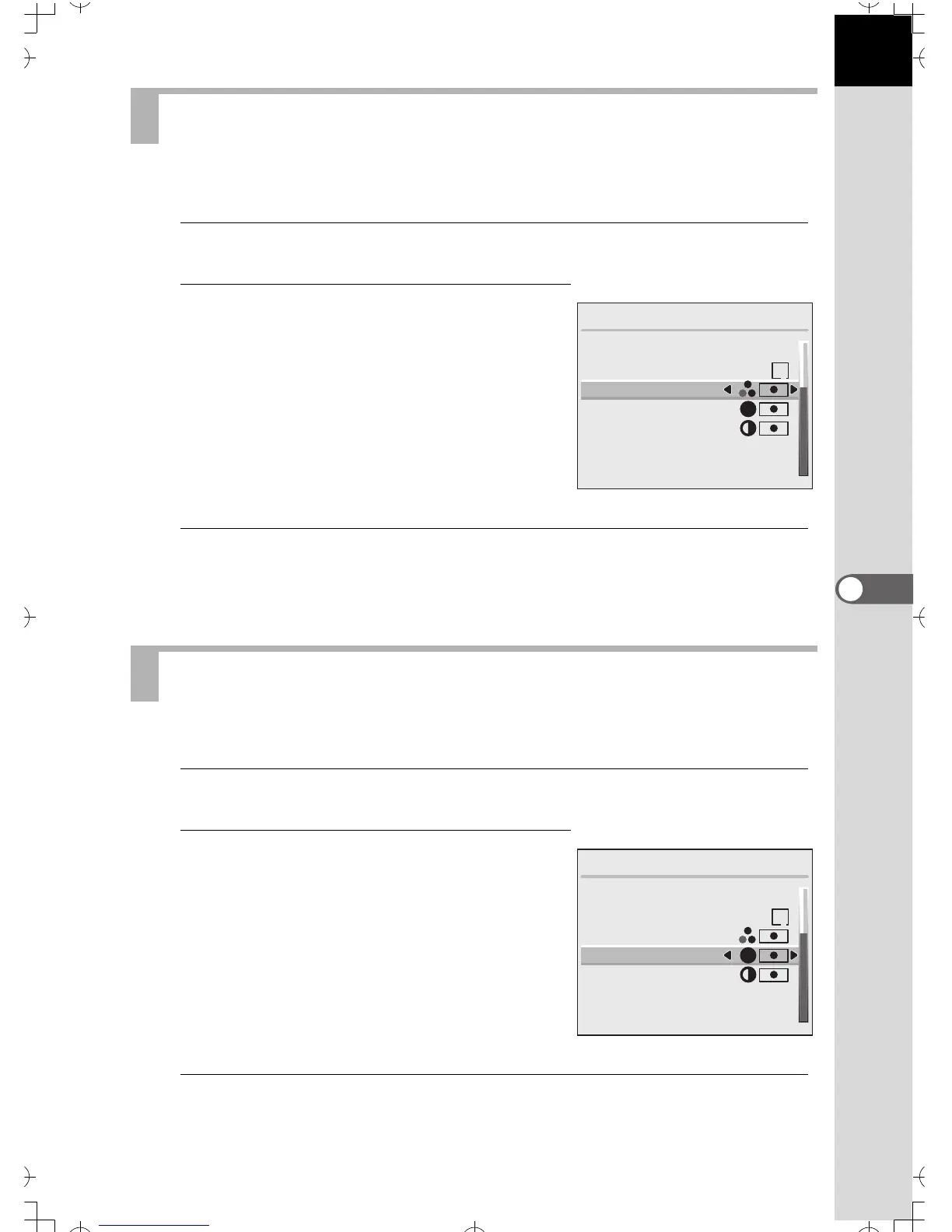
This sets the brightness of colors in the picture.
1
Select [Saturation] on the Main menu.
2
Press the four-way controller (
45
)
to select from
x
(Normal),
z
(High), or
y
(Low).
3
Press the OK button.
The camera is ready for capture or playback.
You can make the image outlines sharp or soft.
1
Select [Sharpness] on the Main menu.
2
Press the four-way controller (
45
)
to select from
x
(Normal),
z
(Hard), or
y
(Soft).
3
Press the OK button.
The camera is ready for capture or playback.
Setting the Color Saturation
Setting the Image Sharpness
Main Menu
Format
Custom Function
Saturation
Sharpness
Contrast
Instant Review
1 sec
Auto Power Off
1 min
1
S
Main Menu
Format
Custom Function
Saturation
Sharpness
Contrast
Instant Review
1 sec
Auto Power Off
1 min
1
S


 To Next Page