108
Shooting Functions
4
Set the exposure setting steps in [1. EV
Steps] of the [A Custom Setting 1] menu
(p.81) to increments of 1/3 EV or 1/2 EV.
AE Lock is a function that locks the exposure prior to taking a picture. Use
this when the subject is too small or is backlit and a proper exposure
setting cannot be obtained.
1
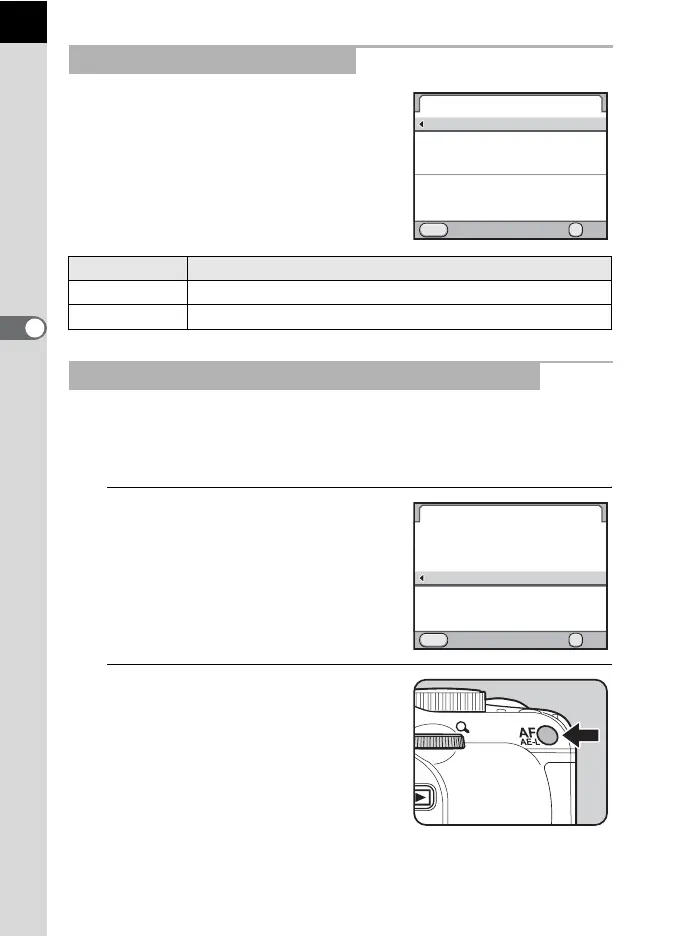
Select [AE Lock] in [10. AF/AE-
L Button] of the [A Custom
Setting 2] menu.
2
Press the =/L button.
The camera locks the exposure
(brightness) at that instant.
@ is displayed in the status screen and
viewfinder while the AE lock is
engaged.
Changing the Exposure Steps
Step Interval Exposure Setting Value
1/3 EV ±0.3, ±0.7, ±1.0, ±1.3, ±1.7, ±2.0, ±2.3, ±2.7, ±3.0
1/2 EV ±0.5, ±1.0, ±1.5, ±2.0, ±2.5, ±3.0
Locking the Exposure Before Shooting (AE Lock)
1.
1
2
MENU
OK
OK
EV Steps
1/3 EV Steps
1/2 EV Steps
Exposure compensation steps
Cancel
now set to 1/3 EV
10.
1
2
3
4
OK
MENU
AF/AE-L Button
Enable AF1
Enable AF2
Cancel AF
AE Lock
Locks the exposure value
Cancel OK
when the AF/AE-L button
is pressed



 To Next Page