186
Shooting Settings
6
6
Press the 4 button.
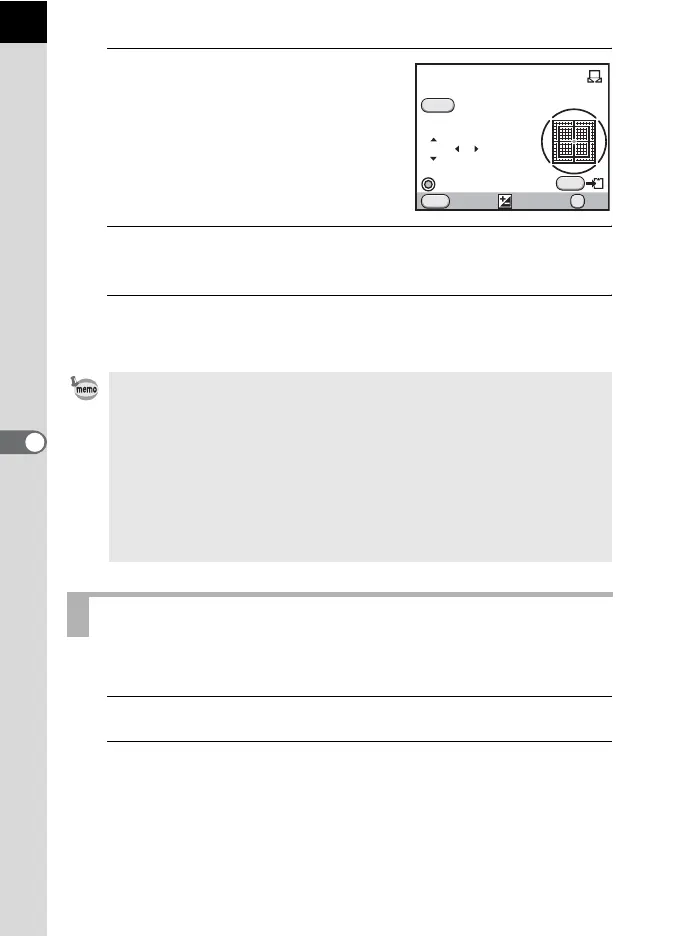
The white balance fine-tuning screen
appears when measuring is completed.
Adjust the white balance as necessary.
(p.186)
7
Press the 4 button.
The camera returns to the [White Balance] screen.
8
Press the 4 button.
The camera is ready to take a picture.
You can fine-tune the white balance settings.
1
Perform the desired setting in Step 3 on p.183.
2
Press the four-way controller (5).
The fine-tuning screen appears.
• No image is recorded when the shutter release button is pressed to adjust
the white balance.
• The message [The operation could not be completed correctly] appears
when measuring is unsuccessful. Press the 4 button while displayed to
remeasure the white balance.
• If the picture is extremely overexposed or underexposed, the white balance
may not be adjusted. In this case, adjust to the proper exposure before
adjusting the white balance.
• When the mode dial is set to C (Movie), the white balance cannot be
measured. Adjust the white balance in any capture mode other than C
before recording a movie.
Fine-Tuning the White Balance
OK
MENU
SHUTTER
GG
BBA
A
MM
±0 ±0
±0
INFO
Cancel Check
Manual
Adjust
OK
White Balance



 To Next Page