187
Shooting Settings
6
3
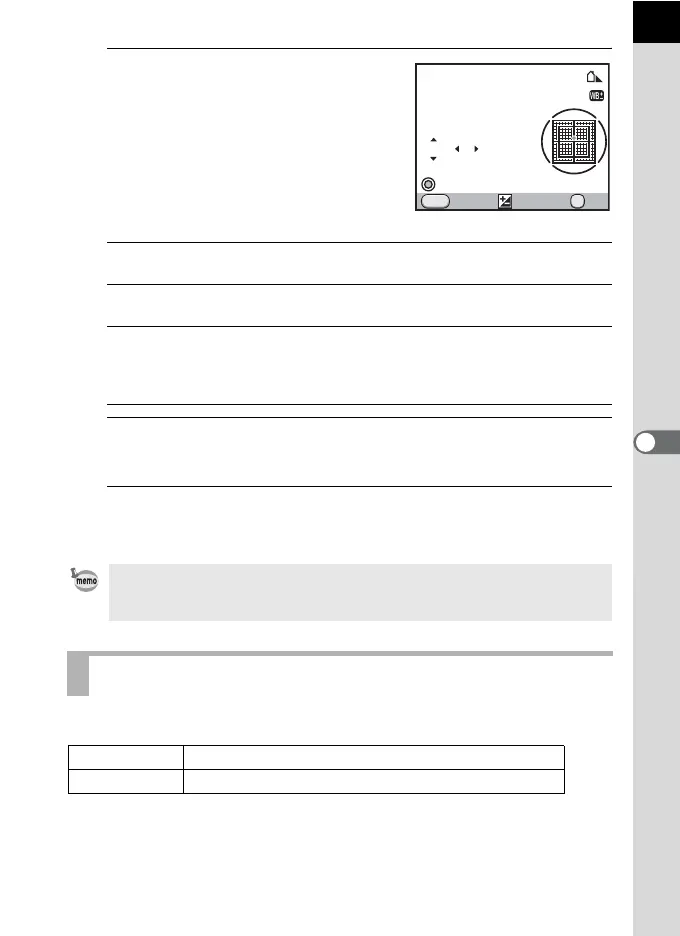
Fine-tune the white balance.
Seven levels (225 patterns) are available
on the G-M and B-A axes.
Available operations
4
Press the 4 button.
The camera returns to the [White Balance] screen.
5
Press the 4 button.
The camera is ready to take a picture.
You can set the color space to use.
Four-way controller (23) Adjusts the tone of the colors between
green (G) and magenta (M).
Four-way controller (45) Adjusts the tone of the colors between
blue (B) and amber (A).
| (Green) button Resets the adjustment value. (Available
only when [Green Button] is assigned to |
(Green) button in [Green Button] of the [A
Rec. Mode 4] menu (p.179).)
When set to K, the white balance can also be measured in the fine-tuning
screen by pressing the shutter release button fully (except while recording a
movie).
Setting the Color Space
sRGB
Sets to sRGB color space. (default setting)
AdobeRGB
Sets to AdobeRGB color space.
OK
MENU
GG
BBA
A
MM
G1 ±0
±0
Cancel Check
Shade
OK



 To Next Page