174
Shooting Settings
6
Setting the File Format
You can select the number of recorded pixels from E, J, P and i.
The more pixels there are, the larger the picture and the bigger the file
size. The file size will also differ according to the [JPEG Quality] setting.
The default setting is E.
The paper sizes above are references for optimal printing by recorded
pixels. The quality of the captured photo or printed picture depends on the
quality level, exposure control, resolution of the printer and a variety of
other factors.
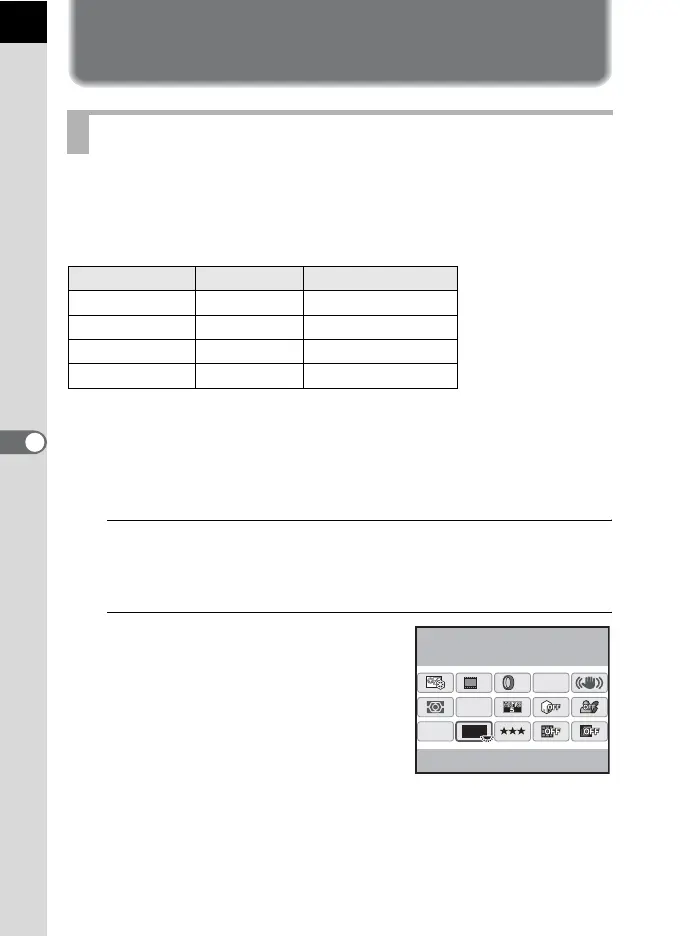
1
Press the M button in the status screen.
The control panel appears.
Press the M button when the status screen is not displayed.
2
Use the four-way controller
(2345) to select [JPEG
Recorded Pixels] and press the
4 button.
The [JPEG Recorded Pixels] screen
appears.
Setting the JPEG Recorded Pixels
Recorded Pixels Pixels Paper Size
E 4288×2848 14"×17" / A2 paper
J
3936×2624 10"×12" / A3 paper
P
3072×2048 8"×10" / A4 paper
i
1728×1152 5"×7" / A5 paper
12M
[
37
]
10:30AM
JPEG
HDR
OFF
OFF
AF.A
12M
OFF
10/10/’09
JPEG Recorded Pixels



 To Next Page