146
Shooting Functions
4
1
Select a Capture mode.
Set the mode dial to any mode other than C.
2
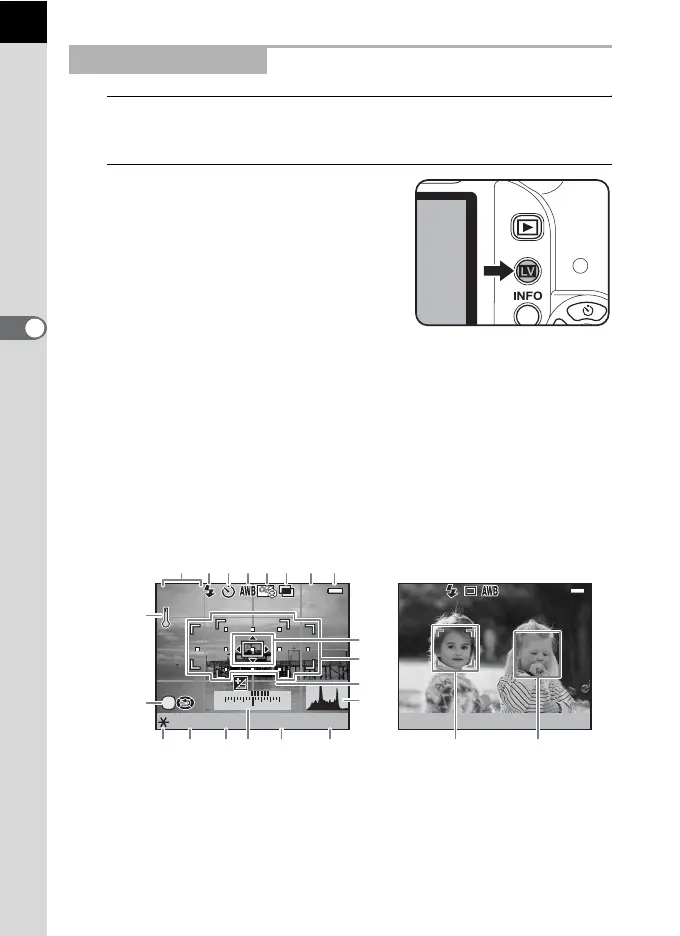
Press the U button.
The mirror pops up and a real-time image is displayed on the monitor.
Press the U button again to exit Live View.
Live View can be displayed for up to 5 minutes. When the Live View
display is cancelled after the elapse of 5 minutes, Live View can be
restarted by pressing the U button. If the internal temperature of the
camera is high, Live View ends before 5 minutes elapse.
Taking a Still Picture
[
1234
]
+1.0
2/5
2000 F2.8 3200
P
1122+3-3
ISO
[
37
]
2000 F2.8 400
P
ISO
SHIFT
OK
12345678
13
14
18171615 19 20 21 22
12
9
10
11
Live View display
(All of the indicators are displayed here for explanatory purposes.)



 To Next Page