42
Getting Started
2
We recommend using the AC adapter kit K-AC84 (optional) when using
the monitor for a long time or when connecting the camera to a computer
or AV device.
1
Make sure the camera is turned off.
If batteries are inserted into the camera, open the battery cover and
remove the batteries. Refer to Step 1 on p.40.
2
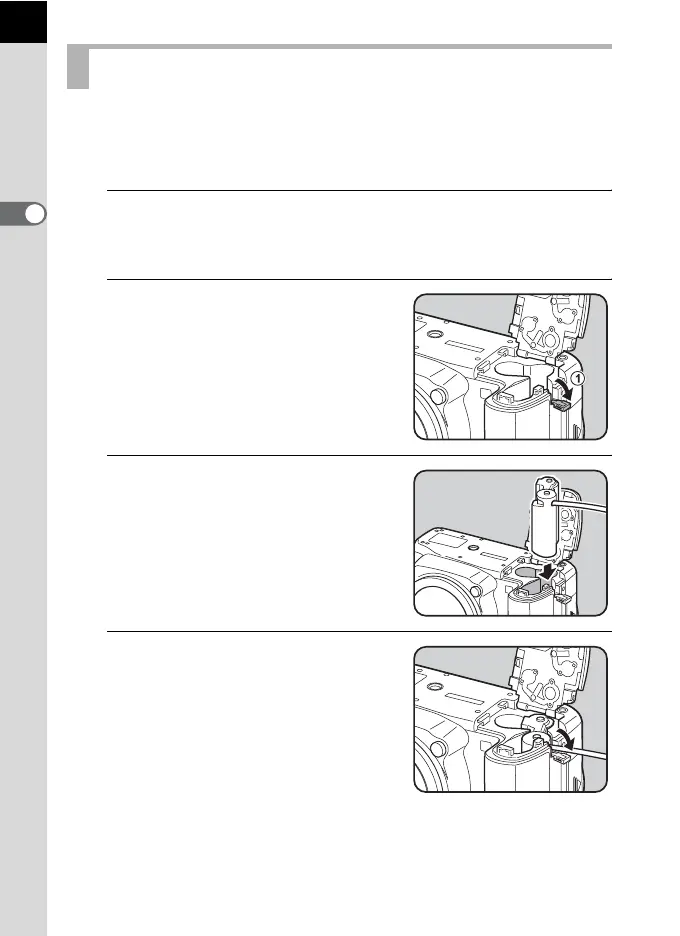
Open the battery cover and pull
out the electric cable cover (1)
on the right side of the battery
chamber.
3
Insert the DC coupler into the
battery chamber.
4
Pull out the DC coupler’s electric
cable as shown in the
illustration.
Using the AC Adapter (Optional)



 To Next Page