144
Shooting Functions
4
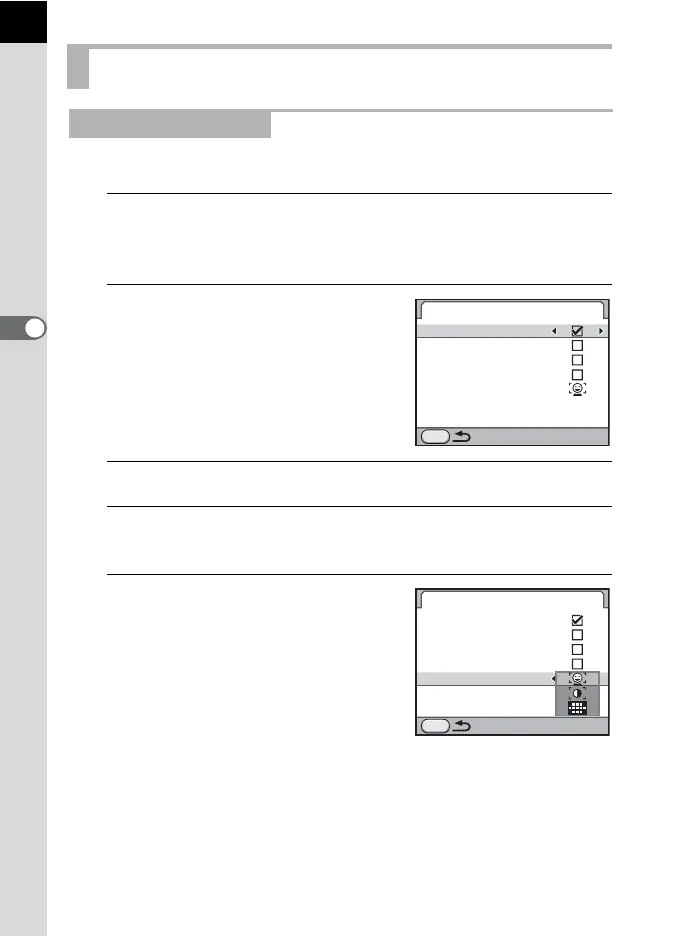
You can set the display items and autofocus mode for Live View.
1
Select [Live View] in the [A Rec. Mode 3] menu and press
the four-way controller (5).
The [Live View] screen appears.
2
Use the four-way controller (23)
to select [Info Overlay], [Show
Grid], [Histogram] or [Bright/Dark
Area].
3
Use the four-way controller (45) to select O or P.
4
Use the four-way controller (23) to select [Autofocus
Mode] and press the four-way controller (5).
5
Use the four-way controller (23)
to select an autofocus mode.
Taking Still Pictures
Setting the Live View
Live View
Show Grid
Info Overlay
Histogram
Bright/Dark Area
Autofocus Mode
MENU
Live View
MENU
Info Overlay
Show Grid
Histogram
Bright/Dark Area
Autofocus Mode



 To Next Page