117
Shooting Functions
4
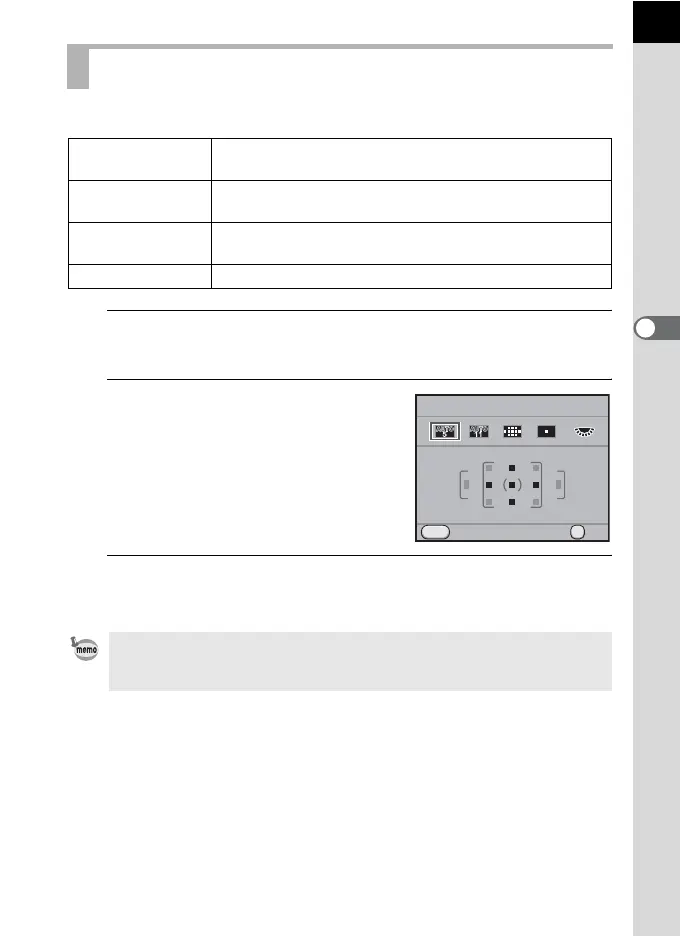
Choose the part of the viewfinder to set focus to.
1
Press the 4 button in Capture mode.
The [Select AF Point] screen appears.
2
Turn the e-dial to select the AF
point.
3
Press the 4 button.
The camera is ready to take a picture.
Selecting the Focusing Area (AF Point)
b
Auto
(5 AF Points)
Out of the 5 AF points, the camera selects the optimum AF
point even if the subject is not centered. (default setting)
c
Auto
(11 AF Points)
Out of the 11 AF points, the camera selects the optimum AF
point even if the subject is not centered.
S Select
Sets the focusing area to the user selected point from
eleven points in the AF area.
O Spot Sets the focusing area to the center of the viewfinder.
• The focusing area can also be set in the control panel.
• The AF point is fixed to O regardless of this setting when using lenses other
than DA, DA L, D FA, FA J, FA or F lenses.
OK
MENU
AUTO
Cancel
Select AF Point
OK



 To Next Page